MP3 EasySplitter Audio Splitter
4.76/5 (445 Reviews)
Split your MP3 files into smaller, playable segments without losing any sound quality.
Multimedia And Design
Audio Production
Shareware
FREE DOWNLOAD (v2.05c)
File Size: 0.62MB | Official Download
Key Features of MP3 EasySplitter
- Split your MP3 files into smaller, playable segments without losing any quality.
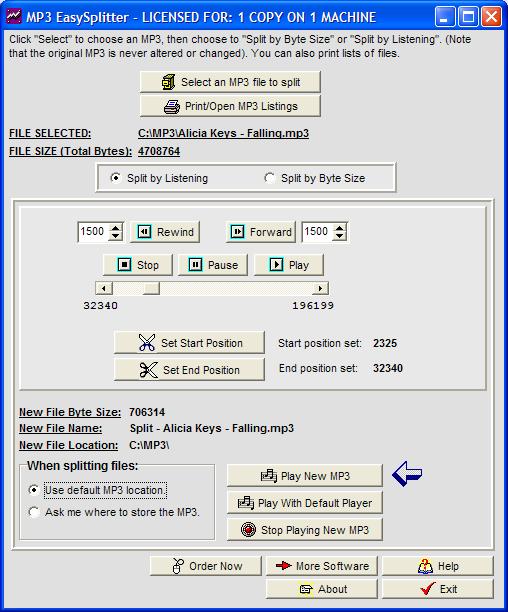
- Multiple split options are included (and also various printing options), split by choosing your start and end points while the song is playing, or simply choose the byte position that you wish to start and end with, and your new MP3 segment is created automatically based on your selection.
- You can also use up and down arrows to easily adjust your split sound segments higher or lower, and you can fast foward, rewind, or play your new MP3 file immediately.
- Other handy feature includes the ability to print lists of your MP3 songs, and even create formatted lists of MP3s for emailing or pasting.
- Easy to use interface walks you through the steps.
- No quality is lost, as the new MP3 is always created with the same quality as your original MP3.
- The original MP3 file is also never altered or changed in any way.
Technical Specifications
- Publisher: Softdd.com
- License: Shareware
- Operating System: Windows 7, Windows 8, Windows 10, Windows 11
- Category: Multimedia And Design / Audio Production
MP3 EasySplitter Screenshot