PCISniffer - PCI Bus Monitoring Tool
4.74/5 (219 Reviews)
PCISniffer performs a complete PCI-diagnosis.
System Utilities
System Optimization
Freeware
FREE DOWNLOAD (v1.5)
File Size: 1.03MB | Official Download
Key Features of PCISniffer
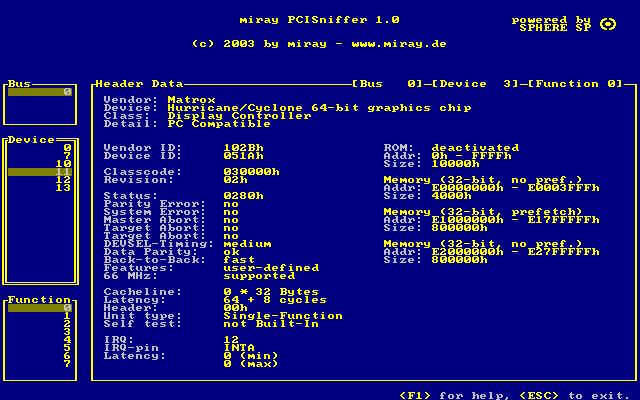
- Areas of Use# PCI device detection for PCs# vendor and device names in plain text# displaying PCI configuration data# detecting PCI resource conflictsNew in version 1.5:# Storing PCI data to floppy disk# 1634 vendors in clear text# 4829 devices in clear textProgram DescriptionIf you want to have the full control of your computer, you ought to know which devices are installed in your machine.
- Independently of the installed operating system the PCISniffer displays the PCI header data of all PCI devices on the BUS unaltered.PCISniffer scans all PCI busses in the PC and detects automatically which busses and devices are present.
- You can comfortably browse the detected devices and list all functions of these devices in a detailled display.
- Since the installed operating system will not be booted, it has no possibility to alter the configuration, thus allowing you the direct access to the data.
- This makes it possible to detect resource conflicts and solve them.Even if your computer runs problem-free it is often interesting to know, which devices are exactly installed.
- Besides the not very useful PCI numbers the real name of the device and the vendor are shown; the complete list of installed PCI devices or parts of it can be sent over the serial interface to a connected computer, where the complete configuration can be saved.
Technical Specifications
- Publisher: Miray.de
- License: Freeware
- Operating System: Windows 7, Windows 8, Windows 10, Windows 11
- Category: System Utilities / System Optimization
PCISniffer Screenshot