Contenta-Converter: Image Conversion Utility
3.63/5 (502 Reviews)
Contenta-Converter is a simple and powerful tool to convert, resize, rename, organize in subfolders your photos.
Multimedia And Design
Image And Graphic Design
Freeware
FREE DOWNLOAD (v3.0)
File Size: 19.4MB | Official Download
Key Features of Contenta-Converter BASIC
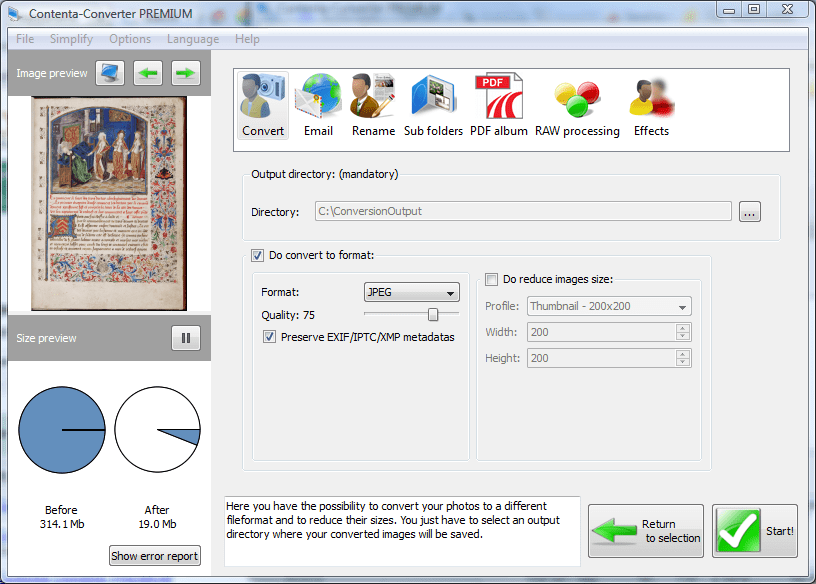
- Image formats: jpg, jpeg2000, gif, png, tiff, bmp, wbmp, targa, ppm, pgm, pbm, xpm, ico,cut, g3, dds, iff, jng, koa, mng, pcd, pcx, ras, sgiLoad/save configurations: Save your conversion settings and reuse them....Batch conversion: Convert a selection of images to a different image formatReduce image size: Batch reduce your images by setting a maximum sizeCompress more: Set JPEG and JPEG2000 quality/compression ratioPreview final file sizes: How much space do you save with your conversion?
- An estimation is done in the background for you to knowQuality preview: How much quality do I lose with these settings?
- See your photos in full size before and after conversion and compare.Preserve metadata *: Preserve IPTC/EXIF/XMP metadatas when converting to JPEG, JPEG2000 and TIFFBatch file renaming using metadata *: Ex: Shooting year_Filename.ExtensionOrganize in subfolders using metadata *: Ex: CameraModelCreationYearYearmonthdayWindows explorer integration: Convert your pictures directly via the contextual menu of windows explorer
Technical Specifications
- Publisher: Contenta-converter.com
- License: Freeware
- Operating System: Windows 7, Windows 8, Windows 10, Windows 11
- Category: Multimedia And Design / Image And Graphic Design
Contenta-Converter BASIC Screenshot