qBittorrent - Secure Torrent Digital Workspace

4.06/5 (27 Reviews)

qBittorrent is a reliable open source software alternative to uTorrent offering ad free downloading.

Internet And Network Browsers And FTP Open Source
FREE DOWNLOAD (v4.6.3)
File Size: 31.2MB | Safe & Verified

Key Features of qBittorrent

  • qBittorrent is a premier open source utility designed for high performance peer to peer file sharing and advanced download management.
  • It provides users with a remarkably robust environment to manage torrents through a clean interface completely free of advertisements with absolute precision.
  • In 2026 it remains a vital tool for digital distributors needing a safe and verified environment for handling large file transfers efficiently.

How to download files safely with qBittorrent

qBittorrent is a powerful, ad-free client that uses the BitTorrent protocol to download and share large files. Follow these steps to set up your client and start downloading efficiently:

  1. Download and Install
    Always download the setup file directly from the official qBittorrent website to avoid bundled malware. Run the installer and open the application. Unlike other clients, you will immediately notice a clean, ad-free interface.
  2. Configure Your Bandwidth
    Go to Tools > Options > Speed. It is highly recommended to set an "Alternative Rate Limit" for uploading and downloading. This ensures qBittorrent doesn't consume your entire home network bandwidth, allowing you to browse the web smoothly while downloads run in the background.
  3. Add a Magnet Link or Torrent File
    Find a file you want to download online. Clicking a "Magnet" link will automatically prompt your browser to open qBittorrent. Alternatively, you can download a .torrent file, click the Add Torrent Link button (the plus icon) in the top left, and select your file.
  4. Manage Your Downloads
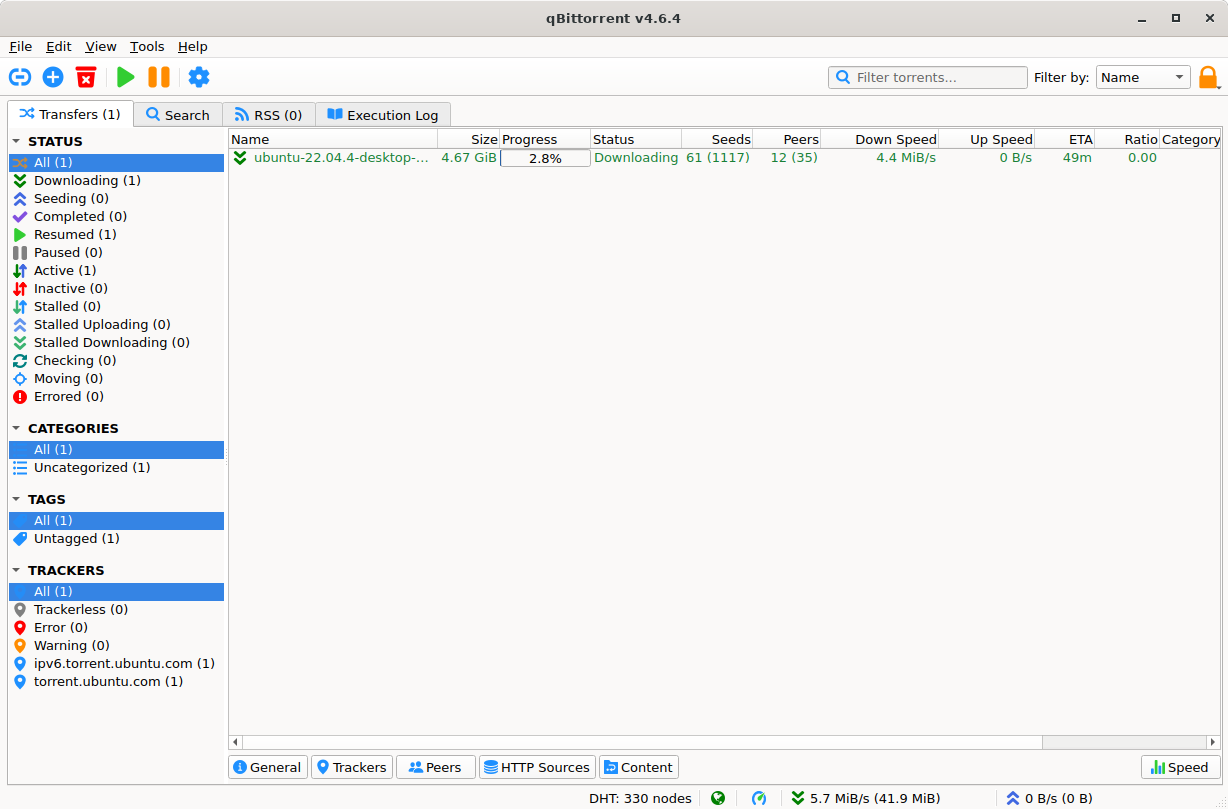
    Your file will appear in the main transfer list. You can right-click any active download to Pause it, change its priority, or select Download in sequential order if you want to preview a video file before the entire download is finished.
Pro Tip: To avoid visiting sketchy websites, use the built-in Search Engine! Go to View > Search Engine. qBittorrent will ask to install Python (which is safe and required). Once installed, you can search multiple torrent repositories directly inside the application!

Frequently Asked Questions

Yes. The software itself is 100% legal, open-source, and widely considered the safest torrent client available since it contains zero advertisements or spyware. However, the legality of what you download depends entirely on your local copyright laws. Sharing copyrighted material without permission is illegal.

BitTorrent relies on other users sharing the file. If your download is "Stalled," it usually means there are zero Seeders (people who have the complete file and are currently uploading it). If there are no seeders online, the download cannot progress until someone with the file connects to the network.

While a VPN is not strictly required for the software to function, it is highly recommended for privacy. P2P networks expose your public IP address to everyone else downloading the same file. A VPN hides your real IP address and prevents your Internet Service Provider (ISP) from throttling your download speeds.

To ensure maximum safety, you can force the client to only use your VPN connection. Go to Tools > Options > Advanced. Look for the Network Interface dropdown and change it from "Any interface" to the specific name of your VPN adapter. If the VPN disconnects, qBittorrent will instantly stop all traffic.

Technical Specifications

qBittorrent Screenshot

Screenshot of qBittorrent Free Download | Torrent for Windows