TeamViewer: Remote Desktop Access and Control
3.70/5 (591 Reviews)
Remote control your computers with TeamViewer, help others with computer problems, present your desktop, transfer files, start an online meeting and communicate using VoIP/video or the chat function.
Internet And Network
Networking And Server
Freeware
FREE DOWNLOAD (v7.0.13989)
File Size: 2656KB | Official Download
Key Features of TeamViewer
- Would you like to help friends or acquaintances with their computer problems from a remote location or have them help you?
- Do you want to make large files available to others – quickly and easily?
- Or would you like to show your desktop to someone at a remote location?
- In these and many other cases, TeamViewer is the perfect freeware for you.
- Use TeamViewer free of charge as a personal user and benefit from its extensive capabilities: remote control of computers, transfer of files, working online with others in a team, starting instant online meetings or scheduling your meetings in advance, communicating via VoIP or video, chatting or presenting online.
- TeamViewer is easy to use and secure (and trouble-free behind firewalls, proxy servers and NAT routers).
- Test it yourself: Download TeamViewer (without registration).
- Your first connection will be up and running in two minutes.
Technical Specifications
- Publisher: Teamviewer.com
- License: Freeware
- Operating System: Windows 7, Windows 8, Windows 10, Windows 11
- Category: Internet And Network / Networking And Server
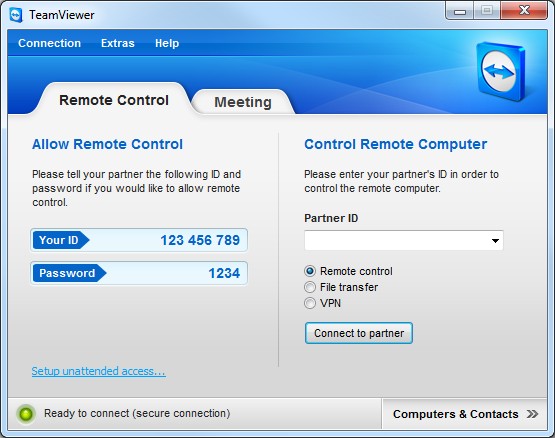
TeamViewer Screenshot