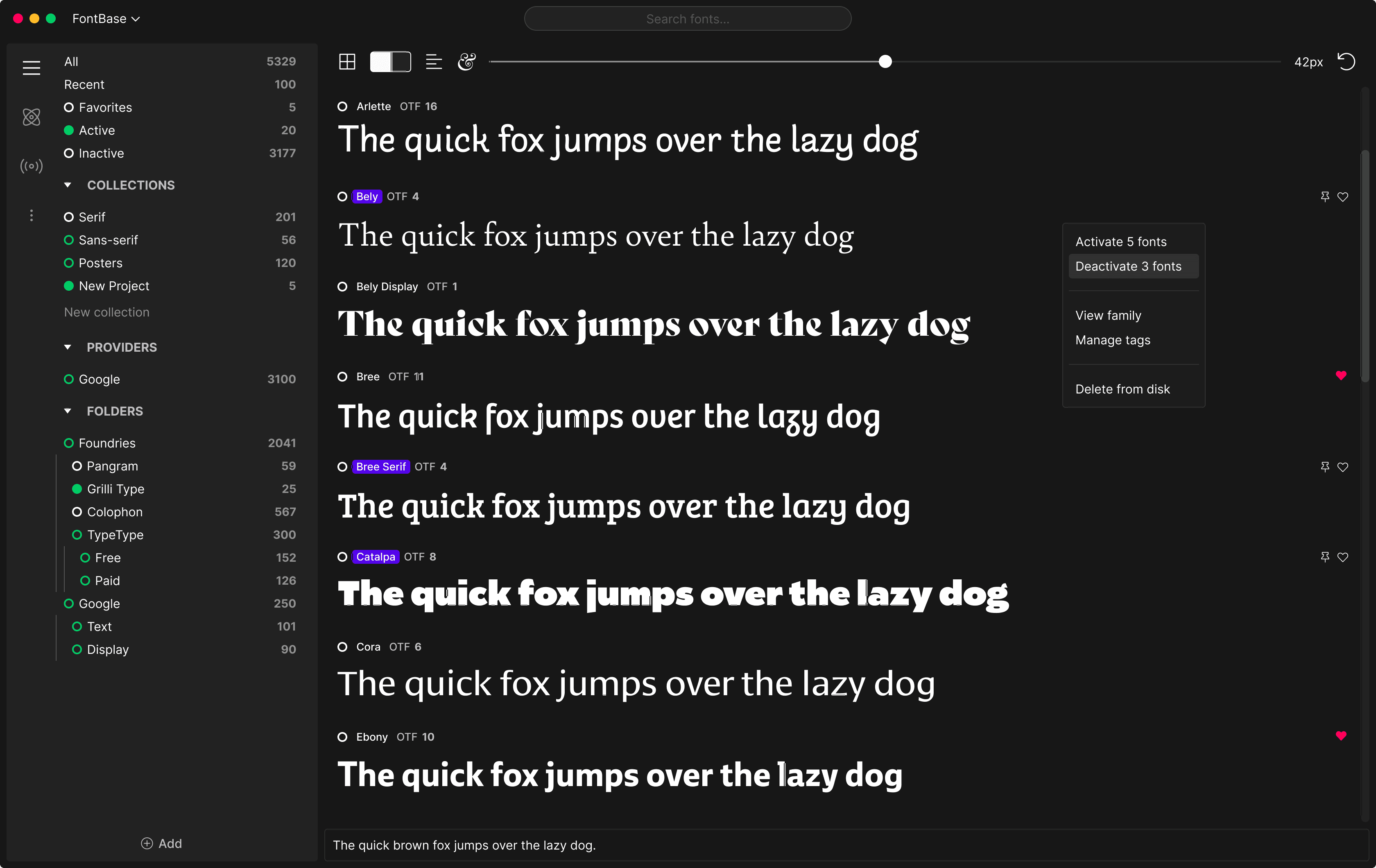
FontBase - Open Source PC Design Utility
4.70/5 (16 Reviews)
FontBase is the font manager of the next generation built by designers for designers.
Multimedia And Design
Image And Graphic Design
Freeware
FREE DOWNLOAD (v2.20)
File Size: 78.4MB | Official Download
Key Features of FontBase
- FontBase is a premier freeware utility designed for high performance font management and advanced creative asset organization.
- It provides users with a remarkably robust environment to activate and preview thousands of typefaces without slowing down the system with absolute precision.
- The software features an integrated Google Fonts synchronization engine that handles live previews and custom collections allowing for seamless integration with design tools like Photoshop and Figma.
- In 2026 it remains a vital tool for graphic designers needing a safe and verified environment for rapid font discovery across diverse hardware configurations.
- Its support for OpenType features and a highly minimalist interface ensures that every typography task is handled with incredible speed and professional grade accuracy.
- FontBase is the globally trusted choice for powerful and reliable font control across all modern desktop platforms.
How to manage thousands of fonts without slowing down your PC
FontBase is a lightning-fast font manager designed for graphic designers. It solves the biggest problem with massive font libraries: installing too many fonts directly into your OS bogs down your system and crashes design apps like Photoshop. FontBase lets you virtually activate fonts only when you need them. Follow these steps to streamline your typography workflow:
-
Set Your Root FolderUpon launching FontBase, the first step is to tell the software where you keep your downloaded fonts. Simply drag and drop your main typography folder into the FontBase window. The app will instantly scan and display them without moving the files.
-
Activate and Deactivate InstantlyBrowse your font library visually. To use a font in your design software, simply click the small empty circle next to the font's name. It will turn green, meaning the font is now active and available system-wide. Click it again to deactivate it when your project is done.
-
Explore the Google Fonts LibraryFontBase comes with the entire Google Fonts library built right in. Navigate to the "Google" tab on the left sidebar, find a web font you like, and click the activation circle. FontBase will automatically download and activate it in one second.
-
Organize with CollectionsRight-click in the sidebar to create new Collections (e.g., "Client A", "Retro Fonts", "Logos"). Drag and drop specific font families into these collections. This allows you to activate an entire batch of project-specific fonts with a single click.
Pro Tip: Type any word or phrase into the preview bar at the top of the app. FontBase will render your custom text across every font in your library, making it incredibly easy to find the perfect typeface for a specific logo or headline.
Frequently Asked Questions
No. This is the main benefit of FontBase. It uses virtual activation. When you activate a font, FontBase temporarily links it to your operating system's registry/font cache. When you close the app or deactivate the font, the link is removed, keeping your operating system clean and fast.
Usually, design applications pick up activated fonts instantly. If they don't, it is a caching issue within Adobe. Try restarting your Adobe application. If you are an Awesome (Paid) subscriber, FontBase includes plugins for Adobe Creative Cloud that automatically activate missing fonts the moment you open a project file.
Yes, the core features are free forever. You can add unlimited folders, activate fonts, and use the Google Fonts integration without paying. There is an optional premium subscription called "FontBase Awesome" which unlocks advanced features for professionals, such as Adobe auto-activation, advanced search filters, and multiple grid views.
Yes. All of the fonts stored on your local hard drive can be managed, activated, and deactivated completely offline. However, you will need an active internet connection to download and activate new typefaces directly from the built-in Google Fonts tab.
Technical Specifications
- Publisher: Fontba.se
- License: Freeware
- Operating System: Windows 7, Windows 8, Windows 10, Windows 11
- Category: Multimedia And Design / Image And Graphic Design
FontBase Screenshot