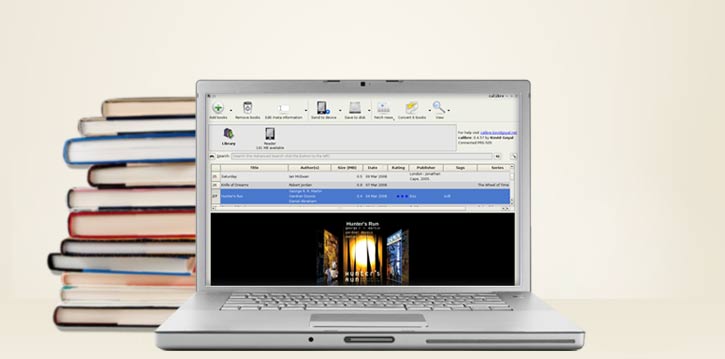
Calibre - Feature Rich Library Optimizer
4.79/5 (17 Reviews)
Calibre is a powerful and easy to use e-book manager allowing users to view convert and catalog their digital books.
Business And Productivity
Office Suite
Open Source
FREE DOWNLOAD (v7.6.0)
File Size: 145.0MB | Safe & Verified
Key Features of Calibre eBook Manager
- Calibre eBook Manager is a premier open source utility designed for high performance digital reading and advanced library organization.
- It provides users with a remarkably robust environment to format books sync to devices like Kindles and fetch metadata from the web with absolute precision.
- In 2026 it remains a vital tool for avid readers needing a safe and verified environment to manage their personal book collections without DRM restrictions.
How to manage and convert e-books with Calibre
Calibre is a powerful digital library manager that gives you total control over your e-books. Follow these essential steps to organize your collection and transfer books to your favorite e-reader:
-
Create Your Local LibraryDownload and install Calibre. Upon first launch, the setup wizard will ask you to choose a location for your library. Select an empty, local folder on your hard drive. Do not select a folder actively synced by OneDrive or Dropbox, as this can corrupt the database.
-
Add Books and Fix MetadataClick the big Add books icon in the top left to import your downloaded e-books. If a book is missing its cover or author details, right-click it and select Edit metadata > Download metadata and covers. Calibre will search Amazon, Google, and Goodreads to pull the correct information.
-
Convert E-book FormatsNeed an EPUB to work on your Kindle? Select the book and click Convert books on the top ribbon. In the new window, look at the top right corner for Output format and change it to your desired file type (like AZW3 or MOBI). Click OK and wait for the "Jobs" counter in the bottom right to hit zero.
-
Send to Your E-ReaderPlug your Kindle, Kobo, or Nook into your computer via USB. Calibre will automatically detect it and add a new Device icon to the top menu. Simply select the books you want, click Send to device, and Calibre will handle the transfer instantly!
Pro Tip: You can read your books directly on your computer! Just double-click any book in your Calibre library, and it will open in the beautifully optimized, distraction-free Calibre E-book Viewer.
Frequently Asked Questions
Yes. Calibre is completely free, open-source software supported by a passionate community of volunteers. There are no premium tiers, subscriptions, or advertisements hidden in the software.
Many major retailers (like Amazon and Kobo) apply Digital Rights Management (DRM) to prevent piracy. Out of the box, Calibre respects this encryption and will not convert protected files. However, many users who wish to back up their legally purchased books choose to install third-party community plugins (like "DeDRM") to bypass this restriction.
Absolutely. Calibre has a built-in email feature. Go to Preferences > Sharing books by email. You can configure it to automatically send converted books directly to your unique
@kindle.com email address, which will sync them over Wi-Fi directly to your device.
Yes. Calibre includes a powerful built-in feature called the Content Server. Click the "Connect/share" button and start the server. This generates a local IP address you can type into your phone or tablet's web browser to browse your entire library, read books online, or download them straight to your mobile device.
Technical Specifications
- Publisher: Calibre-ebook.com
- License: Open Source
- Operating System: Windows 7, Windows 8, Windows 10, Windows 11
- Category: Business And Productivity / Office Suite
Calibre eBook Manager Screenshot