Tail for Windows Utility
4.04/5 (361 Reviews)
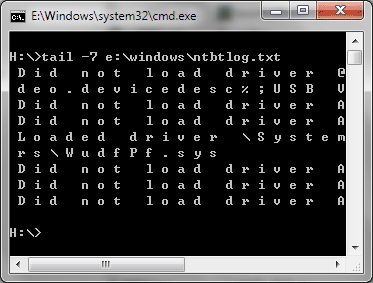
tail for Windows is 100% FREE UNIX/Linux like tail DOS Command for Windows that designed to display last lines of a file and trace/monitor file\'s change.
System Utilities
File Management
Freeware
FREE DOWNLOAD (v1.0)
File Size: 370KB | Official Download
Key Features of tail for Windows
- tail for Windows is 100% FREE UNIX/Linux like tail DOS Command for Windows.
- It can be used to display last lines of a file and trace/monitor file\'s change.
- You can also intercept a file from specified line no.
- into another file by using the redirection symbol.
- It supports most options compare with UNIX/Linux tail command, for UNIX/Linux skills, there is no more words to say.
- And it contains the Manual, just read it to know all supported options.
Technical Specifications
- Publisher: Trisunsoft.com
- License: Freeware
- Operating System: Windows 7, Windows 8, Windows 10, Windows 11
- Category: System Utilities / File Management
tail for Windows Screenshot