xyPoint System: Convert Between Lat/Long and UTM Coordinates
4.64/5 (185 Reviews)
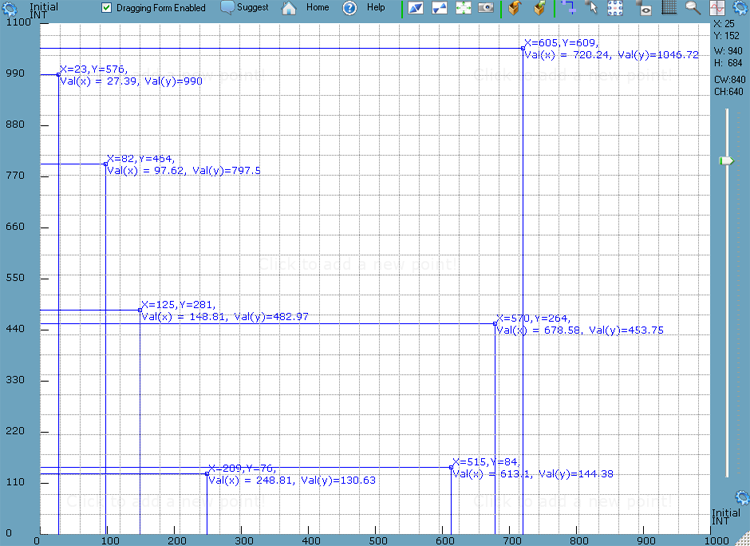
xyPoint System is a plotting system which allows adding points on a canvas which supports the following scales: \'Log\' scale, \'Simple\' scale and \'Measurement Unit\' scale.
Business And Productivity
Education And Science
Shareware
FREE DOWNLOAD (v1.0)
File Size: 2950KB | Official Download
Key Features of xyPoint System
- xyPoint System is a plotting system which allows adding points on a canvas which supports the following scales: \'Log\' scale, \'Simple\' scale and \'Measurement Unit\' scale.
- The application allows for a variety of operations like adding points to the canvas, moving points, removing points, editing how the coordinates are seen, exporting point coordinates in a freeform using built-in parameters and your own text plus many other operations.
- There is no limit to the number of points you can add to the canvas.
- Here are the main features: - plot points on the canvas by clicking in the white area - edit the way point coordinates are rendered.
- You can use the built-in parameters to specify the rendering.
- Here are a few parameters you can use: CUSTOMCOORD.X{0:E}, CUSTOMCOORD.Y{0:E}, COORD.X, COORD.Y, COORD.VALX, COORD.VALY (plus many more).
- - delete or move points around the canvas either by selecting them or using the attached controller (the attached controller can be a rectangle, triangle or a circle) - choose between three types of scales: "Log" scale, "Simple" scale and "Measurement Unit" scale to show for the X or Y axis.
- You can even define your own customer measurement units to use with the "Measurement Unit" scale - export all points coordinates using your own words (and phrases) and the built-in parameters.
- You can even build your own export formats and save them for further use - drag the canvas by grabbing it from anywhere (you can disable dragging by making sure the "Dragging Form Enabled" check box is unchecked) - create a snapshot of the entire application window - change opacity of the canvas window - use the built-in magnifier - show or hide the grid in the canvas
Technical Specifications
- Publisher: Softwareriviera.com
- License: Shareware
- Operating System: Windows 7, Windows 8, Windows 10, Windows 11
- Category: Business And Productivity / Education And Science
xyPoint System Screenshot