Multimedia Xpert Utility
4.04/5 (418 Reviews)
Convert, extract, split, concatenate, join, shift audio, burn in text or images, scan for defects, repair and display info of videos and audios of almost any format.
Multimedia And Design
Video And DVD
Shareware
FREE DOWNLOAD (v1.0)
File Size: 4.97MB | Official Download
Key Features of Multimedia Xpert
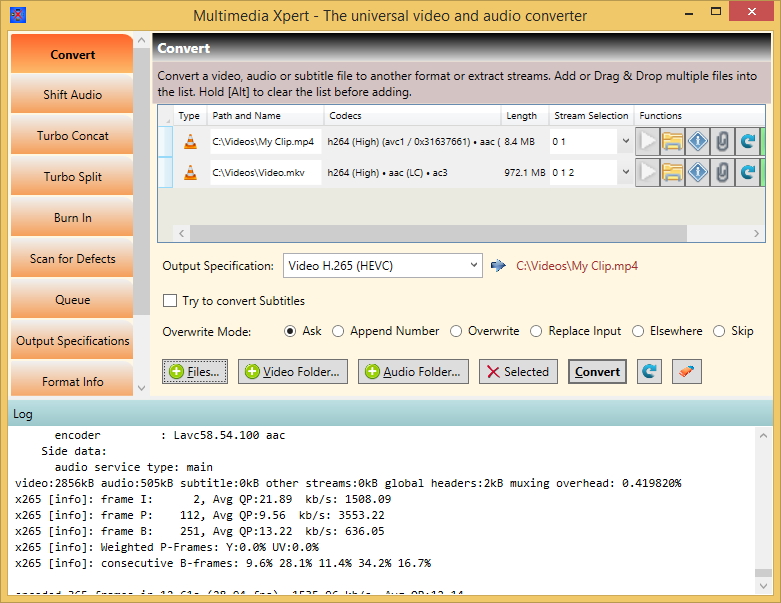
- - Conversion between almost any video and audio format (hundreds)- Extraction of audio tracks of a video into an audio file- Shifting the audio and subtitle streams in relation to the video stream- Concatenating (joining) multiple videos or audios, optionally with turbo speed (more than 10x)- Splitting of videos or audios, also optionally with turbo speed- Burning text, subtitles or images into a video- Changing the speed, size (resolution), bitrate, frame rate, volume, orientation or quality of a video or audio.- Clipping away parts- Free composition of the output file format and storage in a list- Pattern based system to automatically generate output filenames- Management of multiple parallel processings in a Process Queue window- True GUI for ffmpeg with several places to add customized options- Display of all properties of the content of media files- Scanning for defects and repair of media files- Comfortable and safe overwrite management featuring an in-place replacement- Stream protection, no streams are dropped during the processing- Display of the full output of ffmpeg and more in a scrollable window- Drag&Drop- Modern WPF UI that adapts flexibly to different screen sizes- Many tooltips and online help- Windows Explorer right click functions- Callable from commandline- Auto update, no manual lookup necessary- Member of \'The Atlas Xperience\' family
Technical Specifications
- Publisher: Atlas-informatik.ch
- License: Shareware
- Operating System: Windows 7, Windows 8, Windows 10, Windows 11
- Category: Multimedia And Design / Video And DVD
Multimedia Xpert Screenshot