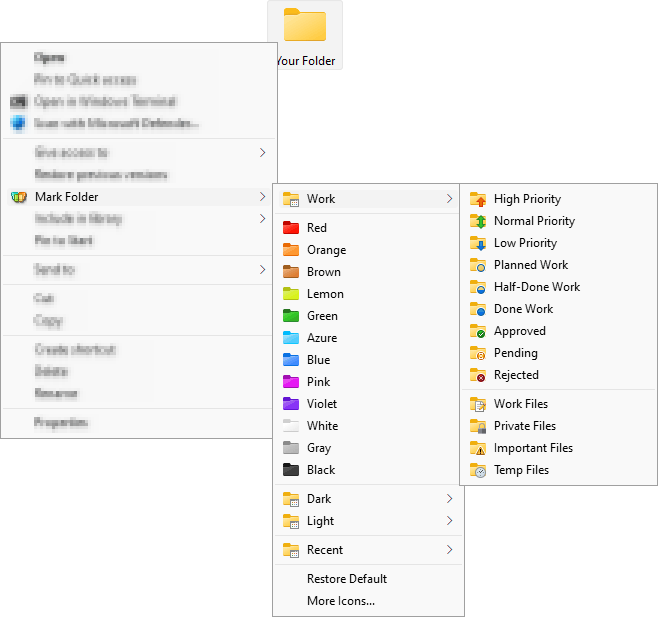
- A handy shell extension that enables you to quickly change folder icons to indicate a priority level or project status (high, low, done, half-done, planned etc.), or you can use it to mark a folder with a special icon or color of your choice.
- Simply right-click on any folder and select the icon or color to be used from the newly added menu option.
- The perfect download if you need a little extra boost getting your files in order!
Download Folder Marker Home - Changes Folder Colors Shareware - Rating: 4.46
Folder Marker Home - Changes Folder Colors Features
Publisher: Visit Folder Marker Home - Changes Folder Colors Website
Category: Utilities Software > System Utilities Software
Size: 6714KB
OS: Windows 10, Windows 11
Downloads: 131524