EasyCargo Utility
3.96/5 (393 Reviews)
Truck and container loading software.
Business And Productivity
Office Suite
Shareware
FREE DOWNLOAD (v4.18)
File Size: 5.5MB | Official Download
Key Features of EasyCargo
- Truck and container load planning online application.
- Manual load plan editor for adjustments of layout.
- Load up to 10 000 items of up to 250 cargo types.
- Import items from MS Excel file.
- Imperial (US) and Metric units option.
- EasyCargo also supports weight distribution calculation.
- Online full version 10 days for free!
How to optimize your container and truck loading with EasyCargo
EasyCargo takes the guesswork out of logistics. This online 3D load planning software helps you maximize cargo space and save on transportation costs. Follow these 4 steps to create your first load plan:
-
Select Your Cargo SpaceChoose the type of vehicle or container you are using from the predefined catalog (e.g., standard containers, flatbed trailers, or semi-trucks). If you have a custom vehicle, you can easily define your own cargo space dimensions from scratch.
-
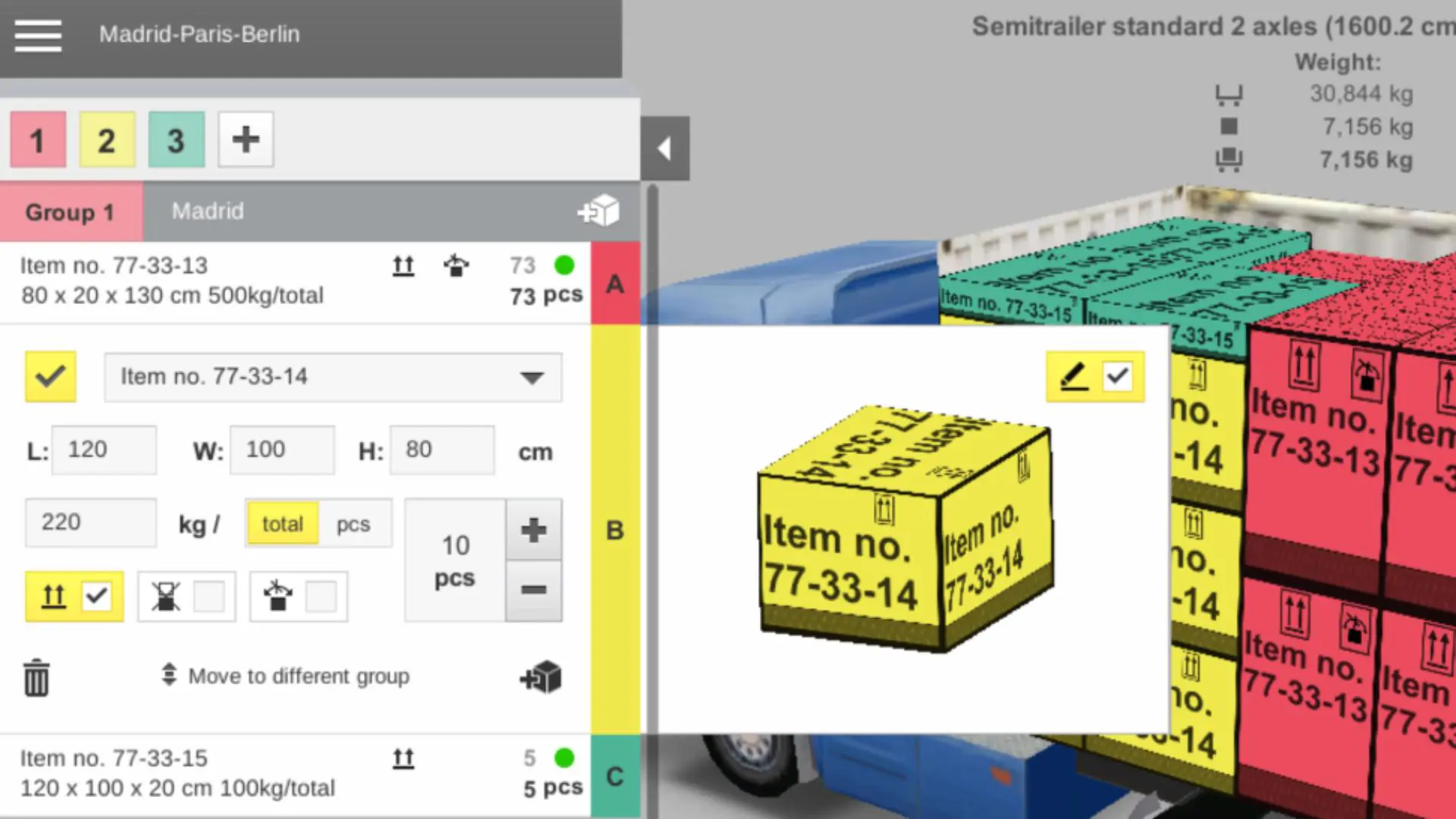
Import Your Cargo ItemsYou can manually add boxes by entering their dimensions, weight, and constraints (like "non-stackable" or "do not tilt"). To save even more time, download the MS Excel template, fill out your packing list, and import hundreds of items into EasyCargo instantly.
-
Calculate and Fine-Tune in 3DClick "Load" and let the engine evaluate the most efficient placement within seconds. Review the results in the interactive 3D visualization. If you want to make changes, use the manual drag-and-drop editor to adjust the position or rotation of any specific box.
-
Generate a Step-by-Step ReportOnce your plan is perfect, generate a Step-by-Step Print Report. This breaks down the loading process into individual steps with a legend, telling your warehouse team exactly which items to load first. You can save this as a PDF or share it via a public interactive web link.
Pro Tip: Do you have items going to multiple different delivery stops? Use the Priority Groups feature! This allows you to sort cargo items based on their final destination, ensuring that the items for the first stop are loaded last and are easily accessible by the driver.
Frequently Asked Questions
No. EasyCargo is a web-based application (SaaS) that runs entirely online in your web browser. There is no hassle of installing updates, and it works flawlessly on both Windows and Mac OS (preferably using Google Chrome or Safari).
Currently, EasyCargo only supports planning for cuboid and rectangular shapes. Cylindrical items, pipes, and other round irregular articles are not supported by the calculation engine at this time.
Yes! EasyCargo takes vehicle weight limits into account. Not only does it verify compliance with the maximum allowed net weight, but it also provides a calculation of axle weight distribution to help you legally and safely plan heavy loads on trucks and trailers.
You can generate standard PDF print reports or step-by-step manifests for your loaders. Alternatively, you can generate a Public Link directly from the software. When you send this link to colleagues or clients, they can open an interactive 3D model of the shipment in their own browser without needing an EasyCargo account.
Yes. For advanced workflows, EasyCargo offers integration with SAP ERP (implemented by status C) and provides an API interface for direct system-to-system connections. You can also connect it to other tools via Make.com for no-code automation.
Technical Specifications
- Publisher: Easycargo3d.com
- License: Shareware
- Operating System: Windows 7, Windows 8, Windows 10, Windows 11
- Category: Business And Productivity / Office Suite
EasyCargo Screenshot