ACDSee Photo Editor Software
4.11/5 (79 Reviews)
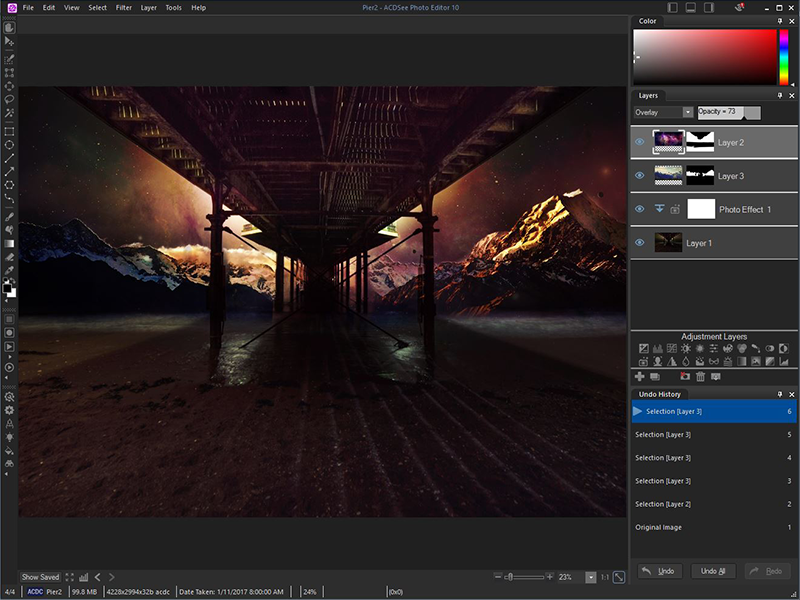
ACDSee Photo Editor 10 boasts the 64-bit power to actualize the original graphics, polished photography, and compelling art imagery you\'ve been envisioning.
Multimedia And Design
Image And Graphic Design
Shareware
FREE DOWNLOAD (v10.0.46)
File Size: 1.48MB | Official Download
Key Features of ACDSee Photo Editor
- Total Photography ControlCut straight to the creative part with this dedicated image adjustment and layered editing software.
- ACDSee Photo Editor 10 boasts the 64-bit power to actualize the original graphics, polished photography, and compelling art imagery you\'ve been envisioning.
- Enhance photos with pixel-based editing tools, precision targeting, hundreds of filters and adjustments, drawing elements, and much more.Built-In RAW SupportTake control of your RAW images by removing noise, sharpening, balancing shadows and highlights, targeting colors, and by using a wide variety of other repair, geometry, exposure, color, and detail-oriented improvements.
- Then save as an ACDC file, which preserves your layers and allows for future non-destructive adjustments.
- ACDSee Photo Editor 10 supports the RAW editing of over 500 camera models.Clear&Concise ControlThe Dehaze adjustment layer will remove dust, smoke, vapor, or other particles affecting clarity, and restore detail, contrast, and lost color.
- By using layer masks to control layers\' transparency, you can hide and reveal mist in choice locations, reclaim focus for the subject, and direct the eye.Layered Retouching&RepairNo foundation, no concealer, no reshoots.
- You can non-destructively smooth away blemishes and flaws without strenuous, targeted color corrections or blending.
- Use the Repair tool to copy pixels from flawless areas and blend them into flawed ones for a natural restoration.
- Combine the Repair tool with a Skin Tune adjustment layer to even tone and restore glow.Selection SimplifiedMake precision adjustments by targeting specific parts of your image with the Selection Brush.
- Detect edges by selecting based on color, brightness, or a combination of both.
- Create a mask from your selection.
- Add lighting, color, detail, or effects-style adjustment layers to your selection.
- Invert the selection and impact the rest of the image with a different edit.
Technical Specifications
- Publisher: Acdsee.com
- License: Shareware
- Operating System: Windows 7, Windows 8, Windows 10, Windows 11
- Category: Multimedia And Design / Image And Graphic Design
ACDSee Photo Editor Screenshot