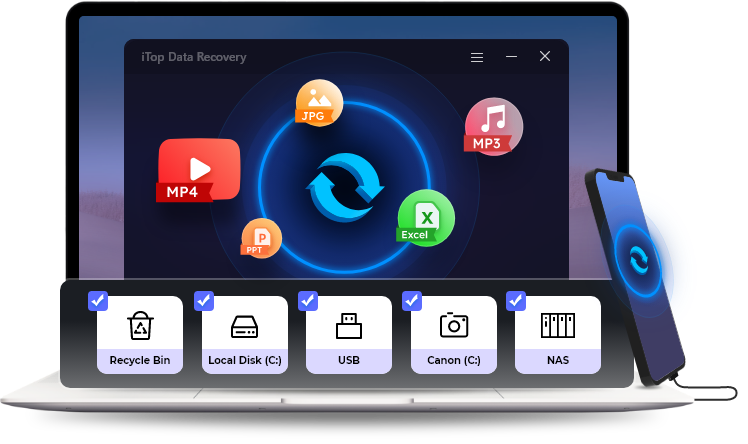
iTop Data Recovery Professional Secure File Rescue Utility
4.74/5 (26 Reviews)
iTop Data Recovery is a fast and reliable tool to recover deleted or lost files from various storage devices.
System Utilities
File Management
Trialware
FREE DOWNLOAD (v6.1)
File Size: 12.6MB | Safe & Verified
Key Features of iTop Data Recovery
- iTop Data Recovery is a premier system utility designed for high performance file rescue and advanced data restoration.
- It provides users with a reliable solution for recovering deleted documents photos videos and audio files across a wide variety of storage devices including internal hard drives solid state drives and external memory cards.
- This software features an ultra fast scanning algorithm that can quickly locate lost data from emptied recycle bins formatted partitions or system crashes.
- In 2026 it remains a vital tool for business professionals and home users needing a safe and verified environment for emergency file recovery without complex procedures.
- Its intuitive interface and offline recovery capabilities ensure that your private information remains completely secure during restoration.
- iTop Data Recovery is globally trusted for delivering a high success rate and seamless performance across all modern Windows desktop platforms.
How to Recover Lost Files with iTop Data Recovery
iTop Data Recovery is a fast and reliable tool to rescue deleted documents, photos, and videos from your PC or external drives. Follow these simple steps to get your important files back:
-
Launch the SoftwareDownload and install iTop Data Recovery. To prevent overwriting your lost data, it is highly recommended to install the software on a different drive than the one you are trying to recover files from.
-
Select Scan Locations and File TypesOpen the program and choose the specific disk, partition, or folder (like the Desktop or Recycle Bin) where you lost your files. You can also filter by specific file types such as Photos, Videos, Documents, or Audio to speed up the process.
-
Scan and PreviewClick the Scan button. The software will perform a lightning-fast scan to locate deleted items. Once finished, you can click on the found files to Preview them and ensure they are intact before recovering.
-
Recover Your DataCheck the boxes next to the files you want to keep and click the Recover button. Choose a safe destination folder to save the rescued files.
Pro Tip: Never save your recovered files back to the exact same drive or partition where they were lost! Doing so can overwrite the hidden data sectors and make permanent recovery impossible. Always save them to a different drive or an external USB.
Frequently Asked Questions
Yes. When you empty the Recycle Bin, the operating system only removes the file directory, making the space available for new data. As long as you act quickly and haven't saved new files over that space, iTop Data Recovery can easily restore those "permanently deleted" items.
Absolutely. iTop Data Recovery supports a wide range of storage media, including internal HDDs and SSDs, external hard drives, USB flash drives, SD cards, and even formatted partitions.
Yes, the software includes a fully functional Preview feature. You can run a complete scan of your drive and preview photos, documents, and videos for free. This guarantees that your file is actually recoverable before you decide to upgrade to the premium version to extract it.
If a file system is severely damaged or formatted, the original file directory (which holds the file names) might be destroyed. In these cases, the software performs a "Deep Scan" using file signatures to recover the raw data. The files are perfectly intact, but they may be assigned generic names like "Recovered_File_001.jpg".
Technical Specifications
- Publisher: Itopvpn.com
- License: Trialware
- Operating System: Windows 7, Windows 8, Windows 10, Windows 11
- Category: System Utilities / File Management
iTop Data Recovery Screenshot