Signal - Advanced Chat Communication Software
4.11/5 (19 Reviews)
Signal Desktop is a fast simple and highly secure messaging app featuring end to end encryption.
Internet And Network
Communication
Open Source
FREE DOWNLOAD (v7.5.1)
File Size: 135.0MB | Safe & Verified
Key Features of Signal Desktop
- Signal Desktop is a premier open source utility designed for high performance private messaging and advanced communication security.
- It provides users with a remarkably robust environment to send texts files and voice notes secured by state of the art end to end encryption with absolute precision.
- Its open source protocol ensures that every digital conversation is handled with incredible speed and professional grade privacy.
How to communicate securely using Signal
Signal is a free, open-source messaging app that prioritizes your privacy above all else. Follow these simple steps to lock down your personal communications:
-
Install and RegisterDownload Signal from the Apple App Store or Google Play Store. Open the app and enter your phone number to register. You will receive an SMS code to verify your device and create a secure PIN.
-
Start a Secure ChatTap the Pencil icon (on Android) or the New Message icon (on iOS) to start a chat. Signal will sync with your device's contacts to show you who else is already using the secure network.
-
Enable Disappearing MessagesFor extra privacy, open a chat, tap your contact's name at the top of the screen, and select Disappearing Messages. Choose a timer (e.g., 8 hours or 1 week). Once read, messages will vanish from both your phone and theirs when the timer runs out.
-
Make Encrypted CallsInside any chat, tap the Phone or Video Camera icon in the top right corner. This launches an end-to-end encrypted call, meaning nobody can intercept or listen in on your conversation.
Pro Tip: You can use Signal on your computer, too! Download the Signal Desktop app, go to Settings > Linked Devices on your phone, and scan the QR code to sync your secure messages to your PC or Mac.
Frequently Asked Questions
Yes. Signal is developed by the Signal Technology Foundation, an independent 501(c)(3) non-profit. They do not sell ads, track your data, or charge subscription fees. The app is funded entirely by user donations and grants, ensuring their only motivation is your privacy.
This is a normal security feature. A safety number changes when your contact gets a new phone or uninstalls and reinstalls the Signal app. It alerts you so you can verify you are still talking to the right person and not an imposter.
If you are on an Android device, this is almost always caused by the phone's battery optimization settings forcibly putting Signal to sleep. To fix this, go to your phone's Settings > Apps > Signal > Battery and set it to "Unrestricted" so it can receive messages in the background.
While you need a phone number to register an account, you no longer have to share it with everyone. You can go to Settings > Privacy > Phone Number and create a unique Username. You can share this username with new contacts to chat securely while keeping your actual phone number hidden.
Technical Specifications
- Publisher: Signal.org
- License: Open Source
- Operating System: Windows 7, Windows 8, Windows 10, Windows 11
- Category: Internet And Network / Communication
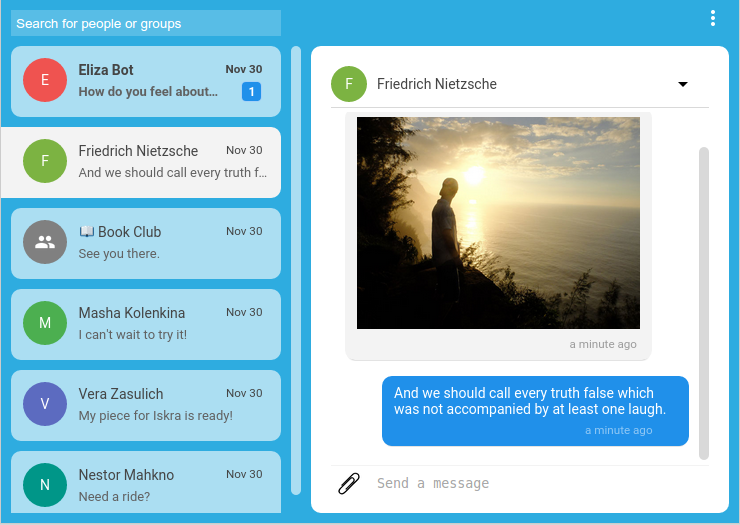
Signal Desktop Screenshot