Panoweaver Standard: Photo Stitching Utility
4.45/5 (552 Reviews)
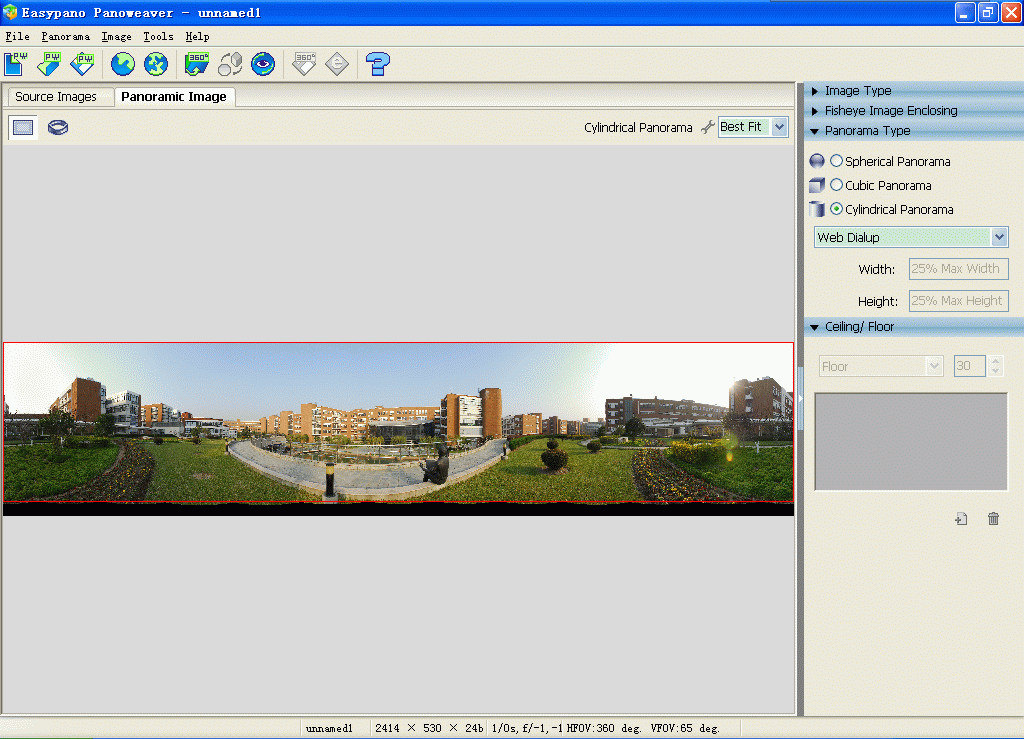
Stitch single row/multiple rows images into 360 degree spherical and cylindrical panoramas, and export Flash VR, QuickTime VR and Java based panorama tour.
Multimedia And Design
Image And Graphic Design
Shareware
FREE DOWNLOAD (v6.00)
File Size: 28.61MB | Official Download
Key Features of Panoweaver Standard - Photo Stitching
- Panoweaver is the world-leading panorama stitching software.
- This version supports stitching single row/multiple rows of normal photos and wide-angle photos.
- Both spherical and cylindrical panoramas can be created automatically.
- Besides stitching panoramas, Panoweaver also exports 360 panoramic images into Flash VR, QuickTime VR, and Java-based VR tours.Main Features:1.Stitch normal photos and wide-angle photos2.
- Automatic stitching and manual stitching are supported3.Stitch photos to spherical and cylindrical panoramas4.Stitch photos to partial panorama/wide-angle photo5.Stitch single row and multiple rows of photos6.Blending features, adjust exposure values automatically.7.Export panoramic images to full screen Flash, QuickTime and Java VR toursNormal photo stitching with Panoweaver 6.0 Standard edition is quite easy.
- Before shooting your digital camera, you should first calculate how many photos you need to take if you want to get a panoramic image.
- After calculation, adjust nodal point for your equipment, and take the photos.
- If you just want to stitch a few photos to a wide-angle image, you don\'t need to calculate the above photo numbers.
- Just take several continuous photos and stitch with Panoweaver to get a wide-angle image.Automatic stitching and manual stitching are both supported in Panoweaver 6.00.
- Automatic stitching is applied when there are enough matching points between adjacent photos; when there are not enough matching points, manual stitching should be applied to insert matching points manually.
Technical Specifications
- Publisher: Easypano.com
- License: Shareware
- Operating System: Windows 7, Windows 8, Windows 10, Windows 11
- Category: Multimedia And Design / Image And Graphic Design
Panoweaver Standard - Photo Stitching Screenshot