Thunderbird - Optimized Windows Email Client

4.37/5 (26 Reviews)

Thunderbird is a free open source cross platform email newsfeed chat and calendaring client.

Internet And Network Communication Open Source
FREE DOWNLOAD (v115.8.1)
File Size: 58.4MB | Safe & Verified

Key Features of Mozilla Thunderbird

  • Mozilla Thunderbird is a premier open source utility designed for high performance inbox management and advanced digital communication.
  • It provides users with a remarkably robust environment to handle multiple email accounts schedule appointments and filter spam locally with absolute precision.
  • Its support for end to end encryption ensures that every correspondence is handled with incredible speed and professional grade privacy.

How to unify your email accounts with Mozilla Thunderbird

Thunderbird allows you to manage multiple email accounts, calendars, and address books from one secure, privacy-respecting desktop application. Follow these steps to set up your unified inbox:

  1. Download and Install
    Visit the official website to download the free installer for Windows, Mac, or Linux. Run the setup and launch the application to begin the profile creation process.
  2. Add Your Email Accounts
    On the welcome screen, enter your name, email address, and password. Thunderbird's auto-configuration database will automatically find the correct IMAP, SMTP, and SSL/TLS server settings for most major providers like Gmail, Yahoo, and Outlook.
  3. Enable the Unified Inbox
    If you are managing several email accounts, go to View > Folders > Unified from the top menu bar. This combines all your separate inboxes into one master list, allowing you to read and reply to everything from a single screen.
  4. Customize with Add-ons and Themes
    Click the application menu (the three horizontal lines in the top right) and select Add-ons and Themes. Here you can browse thousands of community extensions to add new features, change colors, or integrate third-party tools like grammar checkers.
Pro Tip: To keep Thunderbird running smoothly, periodically right-click your email folders (especially the Trash and Inbox) and select Compact. This permanently removes the hidden data of deleted messages and can free up gigabytes of hard drive space!

Frequently Asked Questions

Yes. Thunderbird is a 100% free and open-source application backed by the Mozilla Foundation and funded by user donations. You can use it for personal, educational, or commercial business purposes without ever paying for a license.

If your password is correct but the login fails, it is usually because your email provider requires modern OAuth2 authentication. Ensure your authentication method in Thunderbird's server settings is set to OAuth2. If you use Two-Factor Authentication (2FA), you may need to log into your Google or Microsoft account online and generate a specific "App Password" to use in Thunderbird.

Yes. Thunderbird features a powerful built-in import wizard. Go to Tools > Import to securely transfer messages, address books, and settings from other popular email clients. You can also import standalone MBOX and PST backup files directly into your Local Folders.

Absolutely. Thunderbird takes your privacy seriously. By default, it automatically blocks remote images in incoming emails. This prevents hidden "tracking pixels" from notifying marketers or spammers that you have opened their message. You can easily click an "Options" button to load images from senders you trust.

Technical Specifications

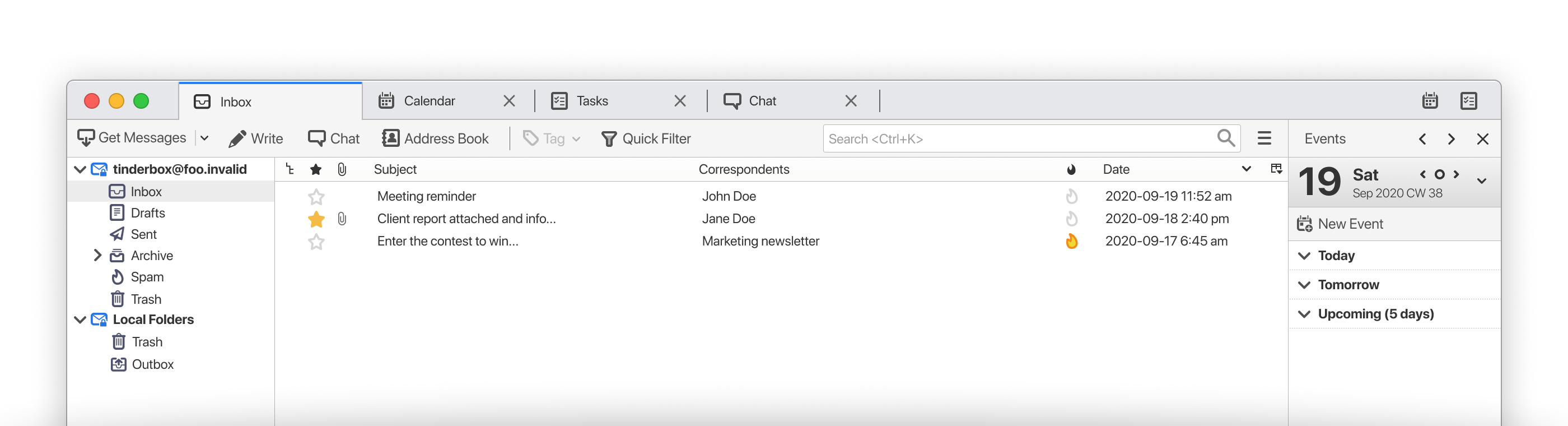
Mozilla Thunderbird Screenshot

Screenshot of Windows Email Software | Get Thunderbird Free