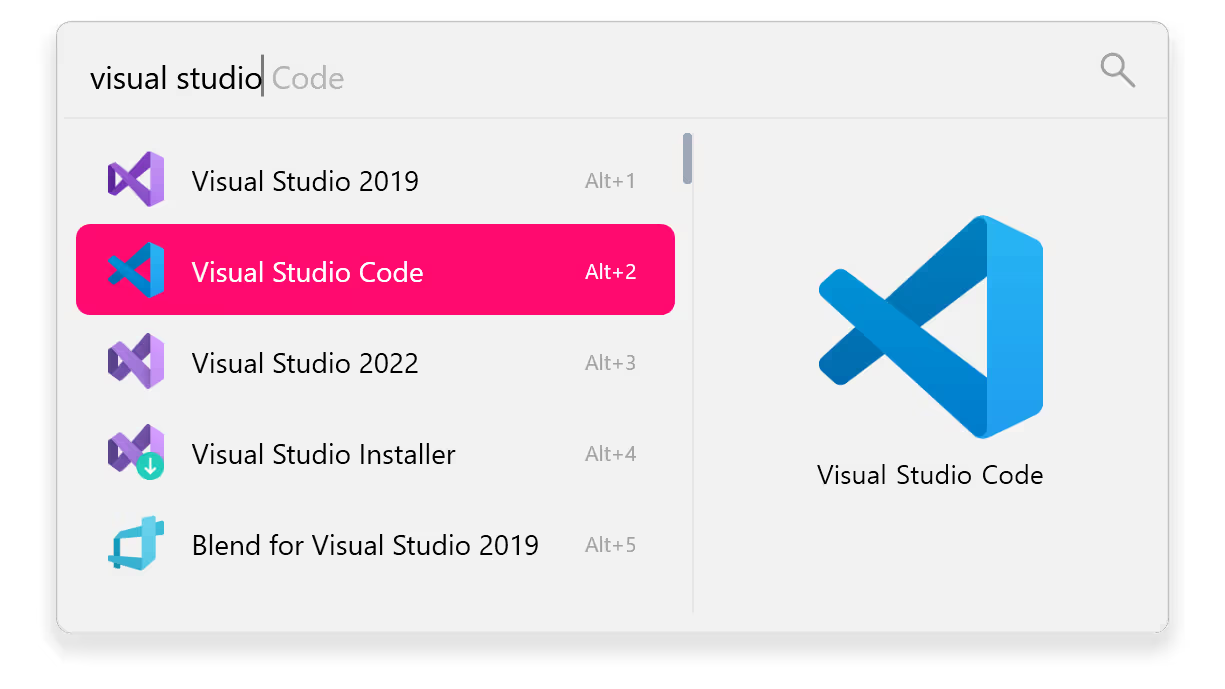
Flow Launcher - Optimized Windows Search Client
4.75/5 (21 Reviews)
Flow Launcher is an intuitive and modern Windows search tool that helps you find files and launch tasks instantly.
System Utilities
System Optimization
Open Source
FREE DOWNLOAD (v2.1.1)
File Size: 94.21MB | Safe & Verified
Key Features of Flow Launcher
- Flow Launcher is a premier open source utility designed for high performance desktop search and advanced productivity management.
- It provides users with a remarkably robust environment to launch applications and find files instantly using a minimalist command bar that stays out of your way until needed with absolute precision.
- The software features an extensive plugin ecosystem allowing users to control Spotify and manage web searches or run PowerShell commands directly from the search interface.
- In 2026 it remains a vital tool for power users needing a safe and verified environment to streamline their workflow and replace the native Windows search with a faster and more customizable alternative.
- Its support for themes and keyboard driven navigation ensures that every task is handled with incredible speed and professional grade efficiency.
- Flow Launcher is the globally trusted choice for powerful and reliable desktop search across all modern Windows platforms.
How to boost your Windows productivity with Flow Launcher
Flow Launcher is a fast, keyboard-centric utility that lets you search files, launch apps, and run web queries without touching your mouse. Follow these steps to get started:
-
Launch the Search BarDownload the setup file for Windows and install it. Once running in the background, press the default hotkey Alt + Space to instantly bring up the search bar in the center of your screen.
-
Search Apps and FilesStart typing the name of an application, folder, or document. The tool will display relevant results as you type. Use your up and down arrow keys to highlight the right item and press Enter to open it.
-
Use Web Keywords and PluginsType action keywords like
gfor Google orwikifor Wikipedia followed by your query (e.g., "g weather today") to search directly from the bar. You can also type math equations directly into the interface for instant calculations. -
Customize Your ExperienceRight-click the Flow Launcher icon in your Windows system tray and select Settings. From here, you can change your trigger hotkey, install new extensions from the Plugin Store, and apply custom aesthetic themes.
Pro Tip: For the ultimate file search experience, install the "Everything" application by Voidtools. Flow Launcher integrates natively with it to index and find any file on your hard drive in milliseconds!
Frequently Asked Questions
Yes. Flow Launcher is an entirely free, open-source, and community-driven application. You can use all of its features, themes, and plugins without paying any subscription or licensing fees.
For deep, instant file searching, Flow Launcher relies on a third-party indexing tool called Everything by Voidtools. Make sure "Everything" is installed and running in the background. If it is, check your Flow Launcher settings to ensure the Everything plugin is enabled.
No. You can install and run Flow Launcher perfectly as a standard user. However, if you want to launch specific applications with Administrator privileges directly through the search bar, you can press
Ctrl + Shift + Enter on the selected result.
Absolutely! The software has a rich developer ecosystem. If you can't find what you're looking for in the built-in Plugin Store, you can create custom plugins using multiple programming languages, including C#, Python, TypeScript, and F#.
Technical Specifications
- Publisher: Flowlauncher.com
- License: Open Source
- Operating System: Windows 7, Windows 8, Windows 10, Windows 11
- Category: System Utilities / System Optimization
Flow Launcher Screenshot