Batch Files Utility
4.08/5 (184 Reviews)
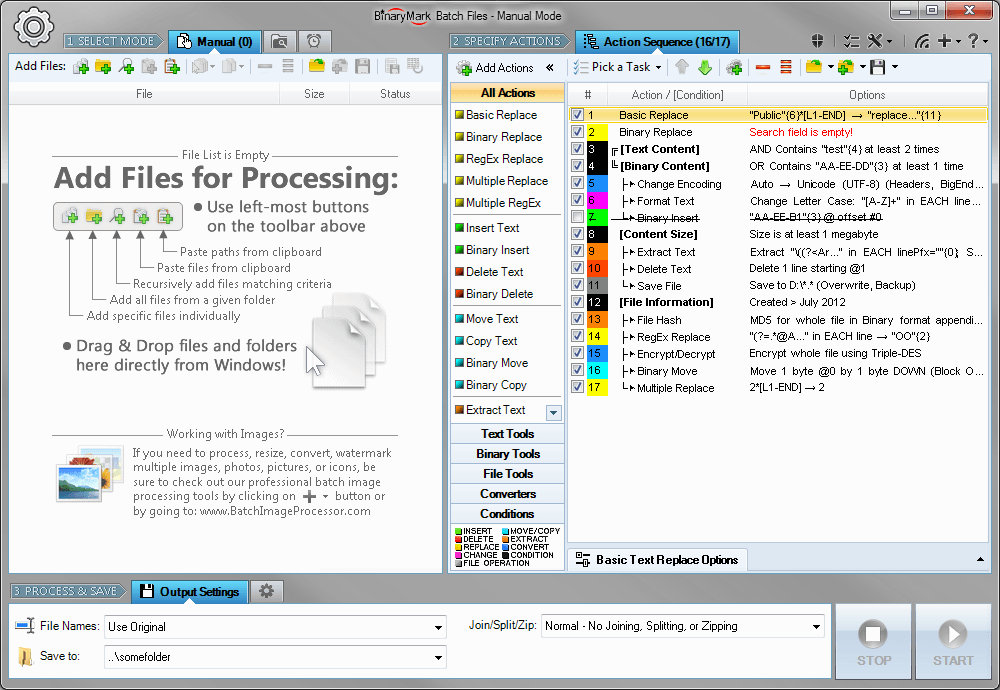
Replace, insert, delete, copy, move, format, extract, convert, encode, encrypt text and bytes in multiple files.
System Utilities
Automation
Shareware
FREE DOWNLOAD (v5.0)
File Size: 5393KB | Official Download
Key Features of Batch Files
- Replace, insert, delete, copy, move, format, extract, convert, encode, encrypt text and bytes in multiple files.
- Process 1000s files using multiple CPU cores in manual, automatic/continuous, triggered/scheduled, or console modes, or directly from Windows Explorer right-click menu.
- Save files with original or new name defined by a mask.
- Select files for processing based on their name, dates, size, and contents using advanced file search.
Technical Specifications
- Publisher: Binarymark.com
- License: Shareware
- Operating System: Windows 7, Windows 8, Windows 10, Windows 11
- Category: System Utilities / Automation
Batch Files Screenshot