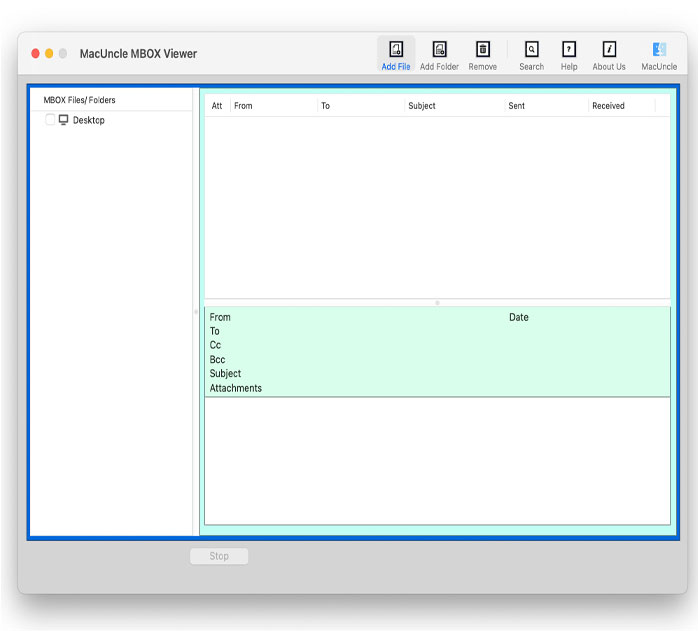
MacUncle MBOX Viewer Professional Email Management Tool
4.15/5 (19 Reviews)
MacUncle MBOX Viewer is a smart and easy to use tool to view MBOX email files on Mac systems.
Business And Productivity
Office Suite
Freeware
FREE DOWNLOAD (v1.0)
File Size: 9.9MB | Official Download
Key Features of MacUncle MBOX Viewer
- MacUncle MBOX Viewer is a premier email utility designed for high performance viewing of MBOX files without the need for an email client.
- It allows users to open and read emails from various sources including Thunderbird, Apple Mail, and Google Takeout while maintaining the original folder hierarchy.
- The software features an advanced search option to locate specific messages based on sender, subject, or date range and allows for the separate viewing of attachments.
- In 2026, it remains a vital tool for users needing a safe and verified environment for forensic email analysis and data management.
- Its lightweight architecture and compatibility with all modern macOS versions make it a trusted choice for professionals needing quick access to archived email datasets globally.
How to view MBOX files for free on Mac
MacUncle MBOX Viewer allows you to quickly open, read, and search MBOX files and their attachments without needing the original email client. Follow these steps to get started:
-
Launch the SoftwareDownload the freeware setup for Mac and install it on your machine. Open the MacUncle MBOX Viewer application to begin.
-
Upload Your MBOX FilesClick on Add File to select individual MBOX files, or click Add Folder to load entire directories containing multiple mailboxes at once.
-
Preview Folders and EmailsIn seconds, the tool will display your MBOX data in its original folder hierarchy. Click on any folder to view the list of email messages, including attributes like To, From, Subject, and Date.
-
Search and Open AttachmentsUse the advanced search option to find specific emails by Sender, Subject, or Date Range. If an email contains attachments, simply double-click the attachment icon in the preview panel to view the attached files.
Pro Tip: You can load MBOX files exported from any source, including Google Takeout, Apple Mail, Thunderbird, or Entourage. The tool natively supports all *.mbox variants seamlessly!
Frequently Asked Questions
No. MacUncle MBOX Viewer is a completely independent utility. It uses advanced algorithms to open and read MBOX files directly, so you don't have to rely on any installed email clients.
No. There are no file size restrictions. The software can effortlessly load, scan, and display huge MBOX files (e.g., 5GB or larger) in bulk without lagging.
Yes. If an email contains an attachment, the software will display an attachment icon next to the message details. By double-clicking the icon, you can easily view the attached files separately.
The free version is strictly a viewer tool that authorizes you to open and read unlimited MBOX files. If you need to convert or export your MBOX files to formats like PST, PDF, EML, or CSV, you will need to upgrade to the MacUncle Pro version.
Technical Specifications
- Publisher: Macuncle.com
- License: Freeware
- Operating System: Windows 7, Windows 8, Windows 10, Windows 11
- Category: Business And Productivity / Office Suite
MacUncle MBOX Viewer Screenshot