Google Workspace Excel Add-In by Devart
4.26/5 (5 Reviews)
Devart Excel Add-in for Google Workspace allows you to connect Microsoft Excel to Google Workspace (formerly, Google Apps and later G Suite).
Development And IT
Languages And Scripts
Shareware
FREE DOWNLOAD (v2.10.1404)
File Size: 53.59MB | Safe & Verified
Key Features of Google Workspace Excel Add-In by Devart
- Devart Excel Add-in for Google Workspace allows you to connect Microsoft Excel to Google Workspace (formerly, Google Apps and later G Suite).
- It allows you to: - import Google Calendar data to Excel; - import Google Contacts data to Excel; - import Google Tasks data to Excel.
- After import, you can instantly refresh data in an Excel workbook from Google Workspace, edit these data, and save them back to Google Workspace.
- Excel Add-in for Google Workspace enables you to work with Google Contacts, Events, Reminders, Tasks, and other objects like with usual Excel worksheets, easily perform data cleansing and de-duplication, and apply all the Excel\'s powerful data processing and analysis capabilities to these data.
- Features: *Connect to Google Workspace Directly from Excel *Use Query Builder or SQL to Import Data You Need *Instantly Refresh Data Whenever You Need *Edit Google Workspace Data Like Usual Excel Spreadsheets *Instant Data Validation You can always find the latest version of the product on the official Devart website.
Technical Specifications
- Publisher: Devart.com
- License: Shareware
- Operating System: Windows 7, Windows 8, Windows 10, Windows 11
- Category: Development And IT / Languages And Scripts
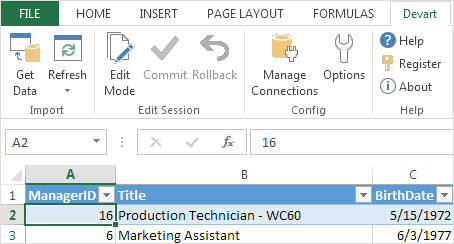
Google Workspace Excel Add-In by Devart Screenshot