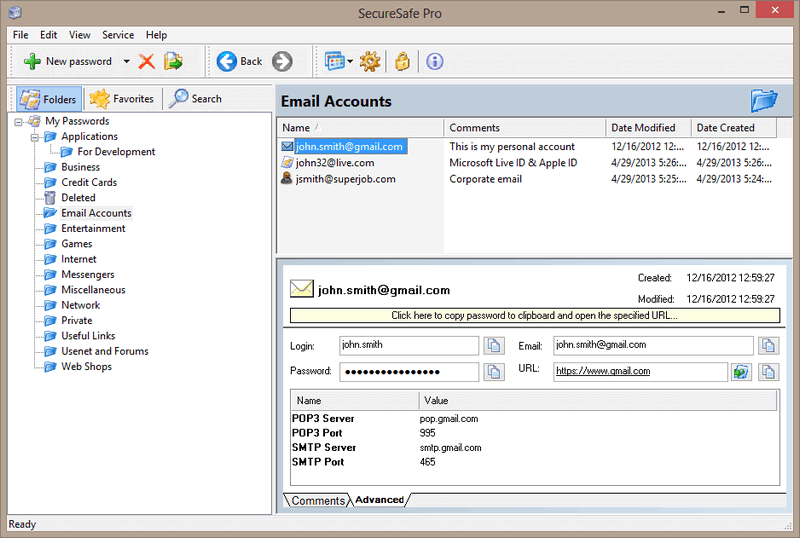
SecureSafe Pro Password Manager Utility
3.92/5 (154 Reviews)
Keep passwords and private files inside a secure file on your computer, protected by a master password and a military-grade encryption standard AES, and organize them.
Development And IT
Databases
Shareware
FREE DOWNLOAD (v3.5)
File Size: 1.42MB | Official Download
Key Features of SecureSafe Pro Password Manager
- If you are having problems remembering all your access passwords and logins, would like to protect yourself against identity theft and need a reliable software solution to store files with confidential information in one place safely and securely, you need to get SecureSafe Pro AdSysNet-Password-Manager.phtml" title="View software for password manager">Password Manager.
- On the market since 2004.SecureSafe Pro Password Manager uses a military-grade encryption standard, approved and used by the US Department of Defense (namely AES, Advanced Encryption Standard with 256-bit key).
- Using SecureSafe Pro password manager, you do not have to remember all of your passwords and logins.
- They are stored in a database tree, which is very easy to search and navigate, so your passwords will be organized perfectly.When you visit a site, using a login and a password, simply click the SecureSafe Pro Password Manager icon, conveniently located in the system tray, enter your access password, and that\'s it.
- Never check \'Remember my login and password\' box on websites, since it is not safe and may lead to getting access to your private information by hackers, or worse yet - stealing your identity.
- Use SecureSafe Pro Password Manager instead.The program also includes a number of safety precautions, such as the unloading of access data if the program is left idle, and a \'tough random password generator\' feature.This program is not just another password keeper.
- You can store regular files inside the program.
- The program can store any file and all files can be launched from SecureSafe Pro Password Manager.
- The files stored with SecureSafe Pro Password Manager won\'t be visible and accessible to anybody but you.
- There are no limits to how many entries you can store and the program is incredibly easy to use.SecureSafe Pro Password Manager is 100% free to download and try.
- Paying just once for the full registered version of the program, you get a lifetime license, and do not have to pay annual payments.
Technical Specifications
- Publisher: Securesafepro.com
- License: Shareware
- Operating System: Windows 7, Windows 8, Windows 10, Windows 11
- Category: Development And IT / Databases
SecureSafe Pro Password Manager Screenshot