Huelix ScreenPlay: Professional Screen Recording Software
4.96/5 (537 Reviews)
Huelix ScreenPlay Screen recorder records entire screen, a region of the screen or a specific window directly as compressed Windows Media Video.
Multimedia And Design
Screen Capture
Shareware
FREE DOWNLOAD (v2.0)
File Size: 11.35MB | Official Download
Key Features of Huelix ScreenPlay Screen Recorder
- Huelix ScreenPlay Screen Recorder sports an extremely simple interface but packs powerful screen recording and screen broadcast capabilities.
- ScreenPlay Screen Recorder records screen video directly as compressed Windows Media video files, with a wide range of quality options to meet every screen recording scenario.
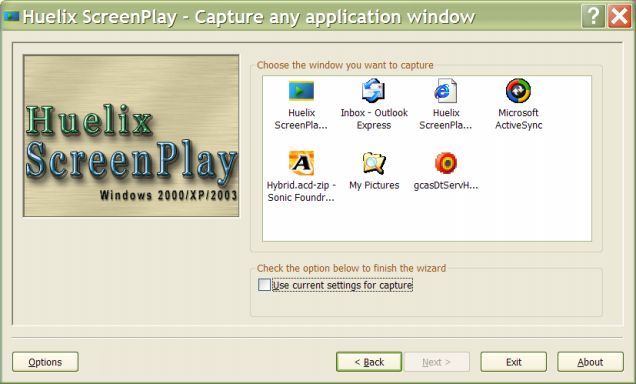
- It can record the entire desktop, an area of the screen, or a specific application window.
- You can also record audio live with screen recordings, from any supported audio line.
- ScreenPlay also excels at recording streaming video with its ability to capture audio from the speakers, directly as WMV files.
- You can configure your own hot keys to control capture with the keyboard, eliminating any interference with your screen targets.
- Huelix ScreenPlay Screen Recorder runs on Windows 2000, Windows XP, or Windows 2003 Servers.
- ScreenPlay is ideal for customer support help desks, live web casts and product demos, and in a multitude of scenarios where quick screen captures are desired.
Technical Specifications
- Publisher: Screenplay.huelix.com
- License: Shareware
- Operating System: Windows 7, Windows 8, Windows 10, Windows 11
- Category: Multimedia And Design / Screen Capture
Huelix ScreenPlay Screen Recorder Screenshot