ExeOutput for PHP Utility
3.70/5 (524 Reviews)
ExeOutput for PHP is a Visual and Full-Featured PHP To EXE Compiler: it lets you Create Stand-alone Windows Applications and Software featuring a built-in browser that runs and displays PHP scripts and Websites Natively Without Using a Webserver.
Development And IT
Languages And Scripts
Shareware
FREE DOWNLOAD (v1.4.1.0)
File Size: 182MB | Official Download
Key Features of ExeOutput for PHP
- ExeOutput for PHP is a Visual and Full-Featured PHP To EXE Compiler: it lets you create stand-alone Windows applications and software from PHP scripts and PHP websites.
- These desktop applications act as a web browser: the end user browses your PHP pages as if he was using his web browser, except that no internet connection, PHP installation nor remote web server is required.
- PHP scripts are interpreted by the built-in PHP runtime and displayed.
How to turn your PHP websites into Windows desktop apps
ExeOutput for PHP allows web developers to convert PHP, HTML, and JavaScript projects into standalone Windows executables without requiring end-users to install a local server. Follow these 4 steps to compile your app:
-
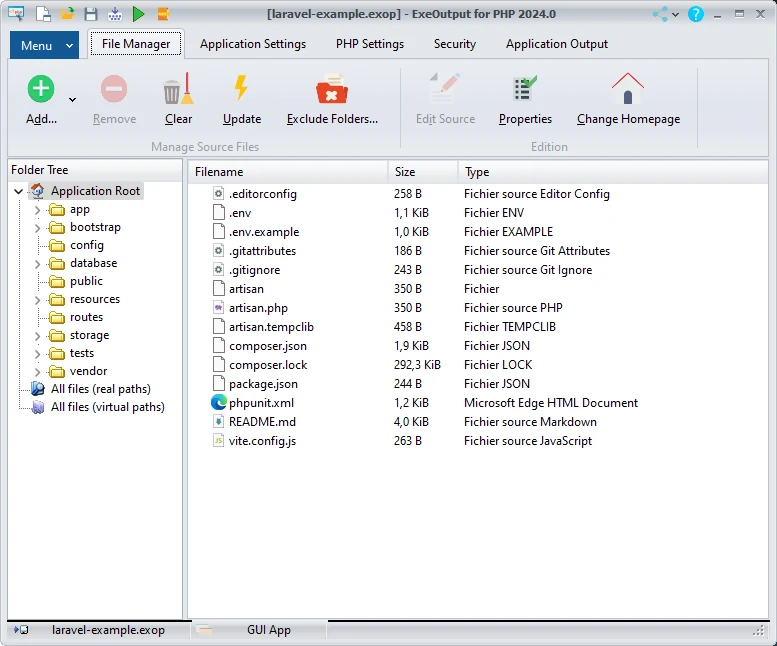
Import Your Web ProjectLaunch ExeOutput for PHP and create a new project. Select the root folder containing your PHP scripts, HTML files, CSS, JavaScript, and images. The software will pack all these assets into the compiler.
-
Select Your Browser EngineYour app needs an engine to render the web interfaces natively on Windows. Choose between the efficient Microsoft Edge WebView2 (for dramatically smaller executables) or the robust Chromium Embedded Framework (CEF) for maximum compatibility.
-
Secure Your Source CodeTo prevent users from stealing your work, go to the security settings and enable PHP source code encryption. ExeOutput ensures your files are never unpacked to the user's hard drive; instead, they are loaded directly into virtual memory in an encrypted state.
-
Compile the ExecutableCustomize your app's icon, window size, and ribbons, then click Build. The compiler will generate a single, self-contained
.exefile that includes the PHP runtime (up to PHP 8.5) and your entire application, ready to be distributed.
Pro Tip: Does your PHP application rely on a database? ExeOutput can automatically bundle a portable MySQL server (MariaDB) into your project. The server will silently start when the user opens your app and stop when they close it!
Frequently Asked Questions
No. ExeOutput for PHP produces a completely self-contained executable. It comes packed with your chosen PHP runtime built directly into the file, so your end-users do not need any external servers or dependencies installed on their machines.
No. ExeOutput provides strong protection by compressing and encrypting your files. At runtime, the files are unpacked directly into virtual memory rather than the user's hard disk, making it incredibly difficult for end-users to copy or tamper with your proprietary scripts.
Windows does not recognize EXE files larger than 4 GB. If your project contains thousands of large assets (like high-res videos or huge databases), you should keep those large files external in a "Data" subfolder rather than compiling them directly into the EXE. This also ensures your application loads much faster at startup.
Absolutely. Because the compiled application relies on modern rendering engines like Microsoft Edge WebView2 and the Chromium Embedded Framework (CEF), it natively supports all modern web standards, including HTML5, CSS3, JavaScript, AJAX, and complex PHP frameworks like WordPress.
Yes. If you don't need a GUI, ExeOutput allows you to create console and command-line-only applications. These distribute as standalone executables that work exactly as if PHP was being run in CLI mode.
Technical Specifications
- Publisher: Exeoutput.com
- License: Shareware
- Operating System: Windows 7, Windows 8, Windows 10, Windows 11
- Category: Development And IT / Languages And Scripts
ExeOutput for PHP Screenshot