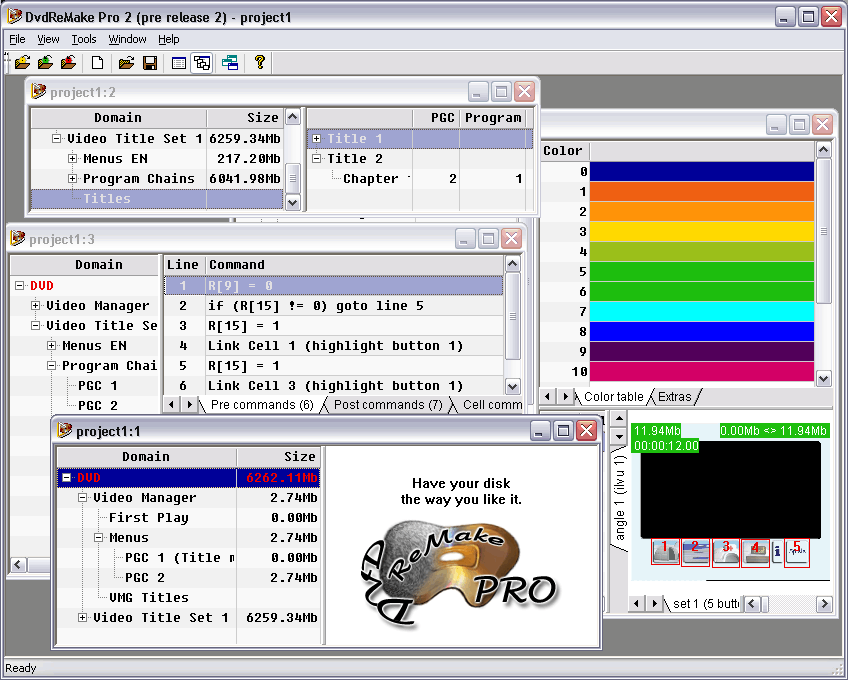
DvdReMake Pro Application
3.54/5 (485 Reviews)
DvdReMake Pro is a powerful, yet intuitive DVD editor designed for creative video enthusiasts.
Multimedia And Design
Video And DVD
Demo
FREE DOWNLOAD (v2.6.4)
File Size: 505KB | Official Download
Key Features of DvdReMake Pro
- DvdReMake Pro is a powerful, yet intuitive DVD editor that will let you change content, appearance and navigation of a DVD disk without the need for complete disk re-authoring.
- Using unique editing features of the DvdReMake Pro you can completely customize your DVD backups, fix authoring errors, merge DVDs or even compile a new DVD from bits and pieces of other DVD disks.
- DvdReMake Pro provides all the functionality needed to edit DVDs: Remove unneeded angles from multiangle disks; Disable menu buttons to material you have removed; Delete menus for selected language; Cut out credits, embedded studio logos and commercials; Remove warning/rating screens; Remove menu transitions; Split a DVD into 2 discs (ideal for episodic DVD\'s); Put multiple DVDs together preserving original menus; Move and insert new chapters on an existing dvd; Edit DVD navigation (all commands and valid combinations are supported); Modify buttons and color schemes in either still or motion menus; Easily change highlights colors; Edit and create new TitleSets, Titles, Chapters, ProgramChains, Programs; Move TitleSets, ProgramChains, commands within the disk or between different DVDs.
Technical Specifications
- Publisher: Dimadsoft.com
- License: Demo
- Operating System: Windows 7, Windows 8, Windows 10, Windows 11
- Category: Multimedia And Design / Video And DVD
DvdReMake Pro Screenshot