DearMob iPhone Music Manager Utility
4.44/5 (110 Reviews)
Transferring iPhone music to computer and adding songs to iPhone can be done for free with DearMob iPhone Music Manager effortlessly.
System Utilities
File Management
Freeware
FREE DOWNLOAD (v1.1)
File Size: 23059MB | Official Download
Key Features of DearMob iPhone Music Manager
- Transferring iPhone music to computer and adding songs to iPhone can be done for free with DearMob iPhone Music Manager effortlessly.
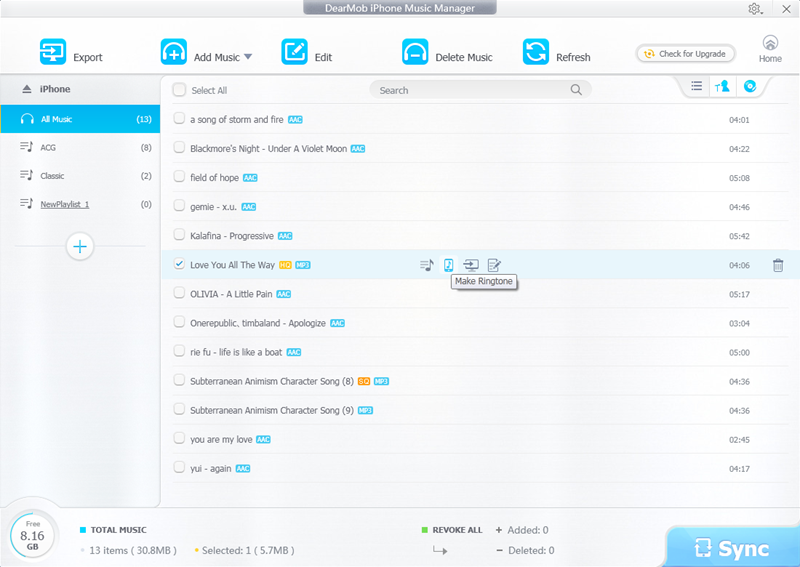
- You can select one, some, or all music to transfer to computers, and you can add one or some or a folder music to sync to iPhone.
- DearMob iPhone Music Manager offers an unexpected fast speed for batch transfer.
- What’s more, it will auto convert music in FLAC, OGG, WMA, WAV, and more to iPhone supported AAC, or MP3.
- Apart from transferring, DearMob iPhone Music Manager provides you multiple options to manage music by editing or deleting.
- You can edit music information like title, artist, album, composer, etc.
- Music playlist is able to be added, modified, or deleted too.
- It is easy to add music to other playlist, to remove music from playlist or to change music from one playlist to another playlist.
- Another pleasant additional function of DearMob iPhone Music Manager is ringtone creation.
- It has the ability to make ringtone with a wave form trimming.
- The maximum length of the ringtone is 40 seconds.
- After syncing the newly made ringtone to iPhone, you will be no surprise to find it in Settings > Sound > Ringtone on your iPhone.
- Key Features of DearMob iPhone Music Manager: 1.
- Import and export music from/to iPhone at fast speed.
- Auto convert iPhone unsupported music format to AAC/MP3.
- Transfer music in batch or separately.
- Add, edit, delete any music or playlist at will.
- Make ringtone with wave form trimming.
- Undo or revoke if not satisfied before syncing.
- Refresh to get real time files of iPhone iPad.
- Easy to use with a simple interface.
Technical Specifications
- Publisher: 5kplayer.com
- License: Freeware
- Operating System: Windows 7, Windows 8, Windows 10, Windows 11
- Category: System Utilities / File Management
DearMob iPhone Music Manager Screenshot