avast Virus Cleaner Antivirus System
3.67/5 (66 Reviews)
avast! Virus Cleaner is a free tool that will completely remove selected viruses & worms from your computer: Badtrans, Beagle, Blaster, BugBear, Ganda, Klez, MiMail, MyDoom, Nimda, Opas, Scold, Sircam, Sober, Sobig, Swen, Yaha, incl.
Security And Privacy
Anti Malware And Antivirus
Freeware
FREE DOWNLOAD (v1.0.164)
File Size: 0.28MB | Official Download
Key Features of avast Virus Cleaner
- Virus Cleaner is a free tool that will help you remove selected virus & worm infections from your computer.
- When your computer gets infected by a virus or worm, the virus often schedule itself to be run automatically when you start your operating system; some of them even register themselves to be run when any other application is started.
- Removing of it is not as simple as deleting it - after deleting the worm file, your operating system might not be able to start your applications (such as Explorer) any more.
- In order to properly remove the worm from your computer, it is often necessary to make additional fixes in your system registry, delete the links from your Startup Folder etc.
- Virus Cleaner comes - it will find and remove selected worms from your computer, as well as fix the registry and startup items to make sure your system will work correctly after the disinfection.
- Many worms - when activated - create additional working files on your hard disk.
- Even though these files alone are harmless, they are useless and they should not be there.
- Virus Cleaner detects and removes a known worm from your computer, its working/temporary files are removed as well.
- The same applies for worm-specific registry entries etc.
- Virus Cleaner can also deactivate the virus present in memory.
- There is no need to start the tool from a Safe Mode - just start it and it will take care of the rest!
- Virus Cleaner is currently able to identify and remove the following worm families: - Badtrans [Wrm] - Beagle [Wrm] (aka Bagle) - Blaster [Wrm] - BugBear [Wrm], incl.
- B variant - Ganda - Klez/Elkern, incl.
- H variant - MiMail-A [Wrm], incl.
- variants - Mydoom [Wrm] (including the Trojan horse) - Nimda [Wrm] - Opas [Wrm] (aka Opasoft, Opaserv) - Scold[Wrm] - Sircam [Wrm] - Sober [Wrm] - Sobig [Wrm], incl.
- B, C, D, E and F variants - Swen[Wrm], incl.
- UPX variant - Yaha [Wrm] (aka Lentin) incl.
How to secure your PC with Avast Free Antivirus
Avast Free Antivirus provides award-winning protection against malware, viruses, and online scams. Follow these 4 steps to install the software and activate your multi-layered defense:
-
Download and InstallDownload the free installer file from the Avast website. Open the downloaded file, approve the system prompt, and follow the simple on-screen instructions to complete the installation on your Windows PC or Mac.
-
Run a Smart ScanOnce installed, initiate a Smart Scan. This feature automatically scans your entire device for hard-to-find vulnerabilities, hidden malware, and performance issues, allowing you to fix them instantly with one click.
-
Enable Real-Time ShieldsEnsure your background defenses are active. The File Shield will automatically scan any new file added or opened on your PC, while the Behavior Shield will alert you immediately if any of your existing apps start behaving suspiciously.
-
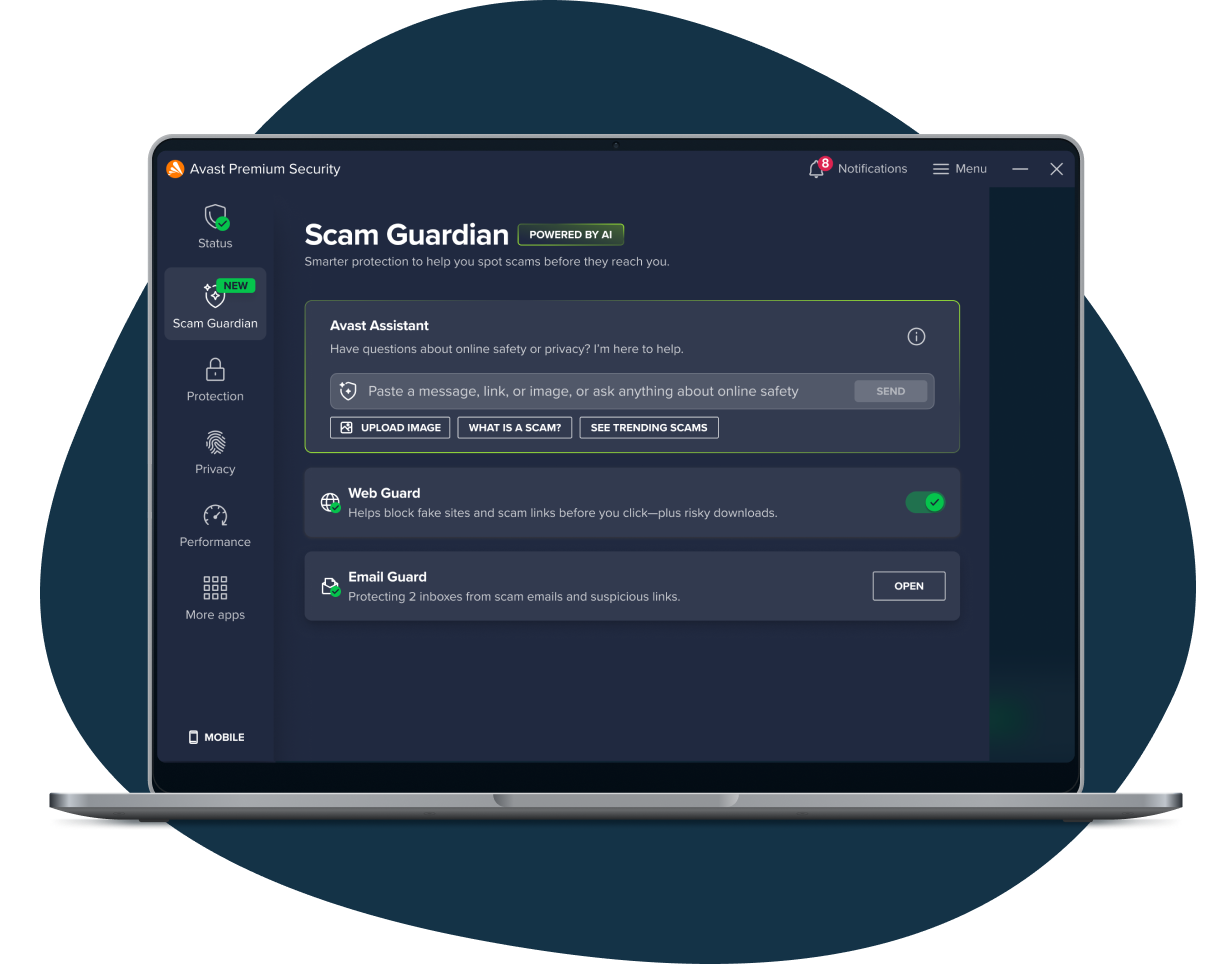
Utilize the AI Web GuardBrowse the web safely. Avast's Web Guard uses intelligent AI to automatically block hidden scam websites, malicious downloads, and phishing links in your emails before they can infect your computer or steal your data.
Pro Tip: Not sure if a suspicious email or online offer is legitimate? You can use the built-in Avast Assistant to ask the AI if a message seems like a scam, and it will provide you with fast, easy-to-read guidance!
Frequently Asked Questions
Yes. Avast Free Antivirus is completely free and you can use it for as long as you want. After 12 months, the app may simply prompt you to reactivate your free subscription to continue using it at no cost.
While Microsoft Defender provides a basic level of security, its anti-phishing protection is primarily limited to the Microsoft Edge browser. Avast Free Antivirus offers superior protection across all browsers (like Chrome and Firefox) and consistently scores higher in independent testing labs for comprehensive threat detection.
If a threat is detected, the software uses its Quarantine feature to instantly isolate the potentially harmful file from your operating system so it cannot spread. You can then choose to send it to the Avast Threat Labs for further analysis.
For a Windows PC, you need Windows 11, 10, 8.1, 8, or 7 (excluding Starter and RT editions) with at least 4 GB of RAM and 2 GB of hard drive space. For Mac users, macOS 10.13 (High Sierra) or later is required. (Note: An internet connection is required for automatic security updates).
Yes! Avast also offers free mobile security apps. It supports Android phones and tablets running Android 9.0 (Pie) or later, as well as iPhones and iPads running iOS 15.0 or later.
Technical Specifications
- Publisher: Avast.com
- License: Freeware
- Operating System: Windows 7, Windows 8, Windows 10, Windows 11
- Category: Security And Privacy / Anti Malware And Antivirus
avast Virus Cleaner Screenshot