Vivaldi - Optimized Windows Browser Client
4.19/5 (17 Reviews)
Vivaldi is a highly customizable web browser built for power users featuring advanced tab management.
Internet And Network
Browsers And FTP
Freeware
FREE DOWNLOAD (v6.6.3271)
File Size: 105.3MB | Safe & Verified
Key Features of Vivaldi
- Vivaldi is a premier freeware utility designed for high performance internet navigation and advanced workflow customization.
- It provides users with a remarkably robust environment to manage hundreds of open tabs through vertical stacking and split screen web panels with absolute precision.
- Built on the Chromium engine it ensures that every complex browsing task is handled with incredible speed and professional grade security.
How to master your workflow with Vivaldi
Vivaldi is designed to adapt to your needs, rather than forcing you to adapt to it. Follow these steps to set up your ultimate browsing environment:
-
Choose Your Initial LayoutWhen you launch Vivaldi for the first time, you will be prompted to pick a layout style. Choose Essentials for a clean look, Classic for a standard feel, or Fully Loaded to immediately unlock the Mail client, Calendar, and Feeds. You can change this later in Settings.
-
Stack and Tile Your TabsDrag and drop one tab on top of another to create a Tab Stack (a folder of tabs). To view them side-by-side, right-click the Tab Stack and select Tile Tabs. This is perfect for taking notes while watching a video or comparing two spreadsheets.
-
Set Up the Web Panel SidebarLook at the sidebar on the left. Click the + (Plus) icon to add your favorite chat apps, social feeds, or reference sites as Web Panels. These open in a persistent slide-out menu so you can access them without leaving your current webpage.
-
Configure Privacy and Ad BlockingClick the shield icon at the left end of the address bar. Set your default protection level to Block Trackers and Ads to instantly speed up page loading times and protect your privacy without needing third-party extensions.
Pro Tip: Press F2 (or Cmd+E on Mac) to open Quick Commands. This spotlight-like search bar lets you instantly find open tabs, search your history, execute browser commands, or do math calculations without taking your hands off the keyboard!
Frequently Asked Questions
Yes. Vivaldi is built on the open-source Chromium engine (the same foundation as Google Chrome). This means you can visit the Chrome Web Store and install almost any extension seamlessly.
No. Vivaldi has a strict privacy policy. They do not track your behavior, profile you, or sell your data to advertisers. Their built-in ad and tracker blocker actively prevents third-party sites from monitoring you across the web.
Absolutely. Vivaldi offers free, end-to-end encrypted synchronization. By creating a Vivaldi account, you can securely sync your bookmarks, passwords, history, and open tabs across Windows, Mac, Linux, Android, and iOS devices.
This error usually pops up if a local cache file gets corrupted, often after an OS update. To fix it, try clearing your browser cache via Settings > Privacy. If the issue persists, closing the browser and manually renaming your "Default" profile folder in the Vivaldi directory will force the browser to generate a clean, error-free profile.
Technical Specifications
- Publisher: Vivaldi.com
- License: Freeware
- Operating System: Windows 7, Windows 8, Windows 10, Windows 11
- Category: Internet And Network / Browsers And FTP
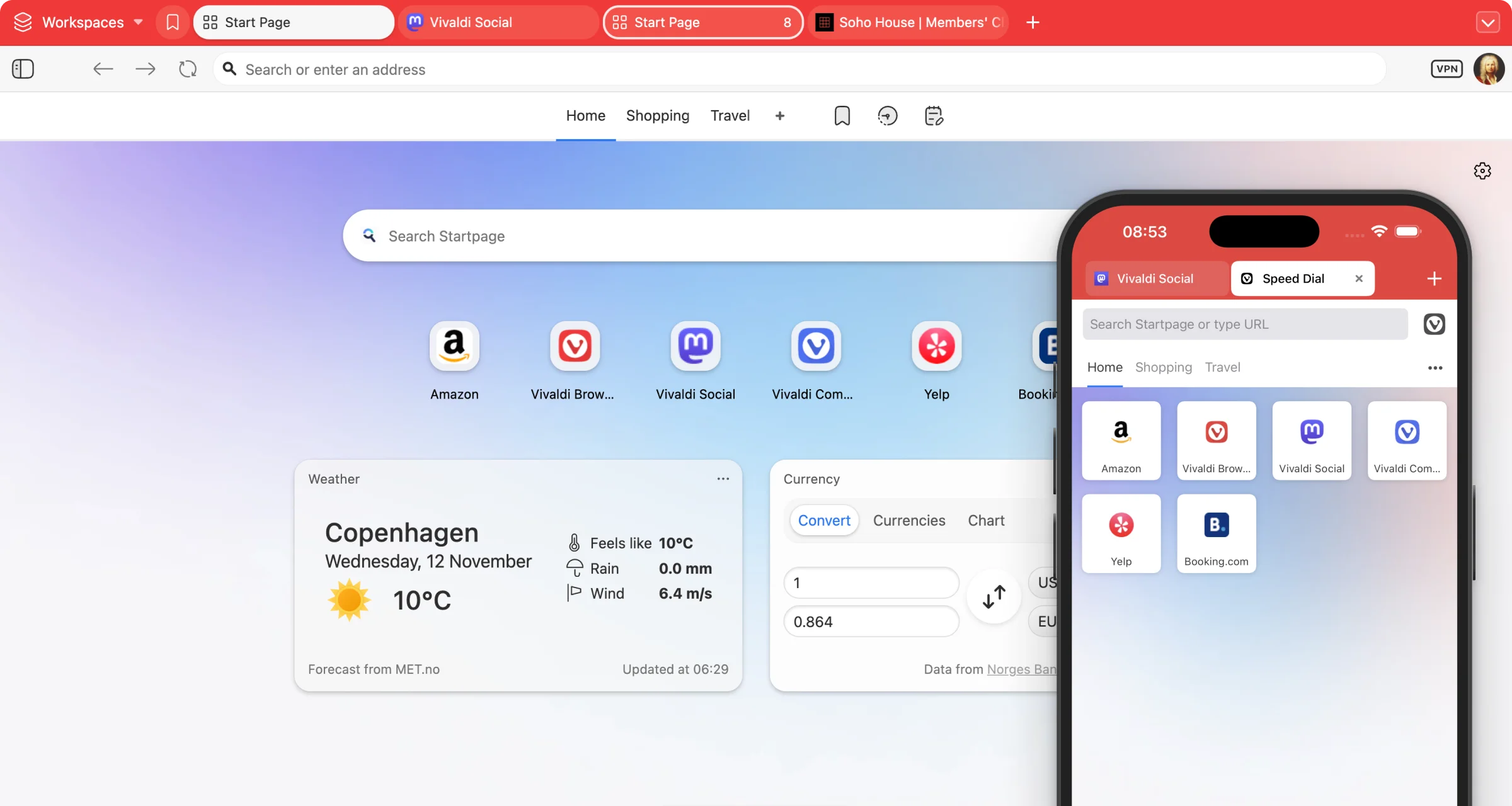
Vivaldi Screenshot