Obsidian - Premier Knowledge Application Tool
4.86/5 (21 Reviews)
Obsidian is a powerful knowledge base that works on top of a local folder of plain text Markdown files.
Business And Productivity
Education And Science
Freeware
FREE DOWNLOAD (v1.12.7)
File Size: 78.5MB | Official Download
Key Features of Obsidian
- Obsidian is a premier freeware utility designed for high performance knowledge management and advanced digital note taking.
- It provides users with a remarkably robust environment to build a second brain using plain text Markdown files stored locally on their device with absolute precision.
- The software features an integrated graph view and backlinking system allowing for the discovery of hidden connections between ideas and the creation of a deeply interconnected personal wiki.
- In 2026 it remains a vital tool for researchers writers and developers needing a safe and verified environment to manage complex information without relying on proprietary cloud formats or third party servers.
- Its support for over one thousand community plugins and a highly customizable CSS interface ensures that every workflow is handled with incredible speed and professional grade flexibility.
- Obsidian is the globally trusted choice for powerful and private knowledge organization across all modern desktop and mobile platforms.
How to build your "Second Brain" with Obsidian
Obsidian is a powerful knowledge base that works on top of a local folder of plain text files. Follow these essential steps to set up your workspace and start connecting your thoughts:
-
Create Your First VaultDownload and install Obsidian. Upon launching, select Create new vault. A "Vault" is simply a folder on your computer where all your notes will be saved. Give it a name and pick a location on your hard drive.
-
Write in Plain Text MarkdownClick the "New Note" icon. Start typing! Obsidian uses standard Markdown formatting. For example, type
#followed by a space for a main heading, or surround text with**to make it bold. You don't need a mouse to format your text. -
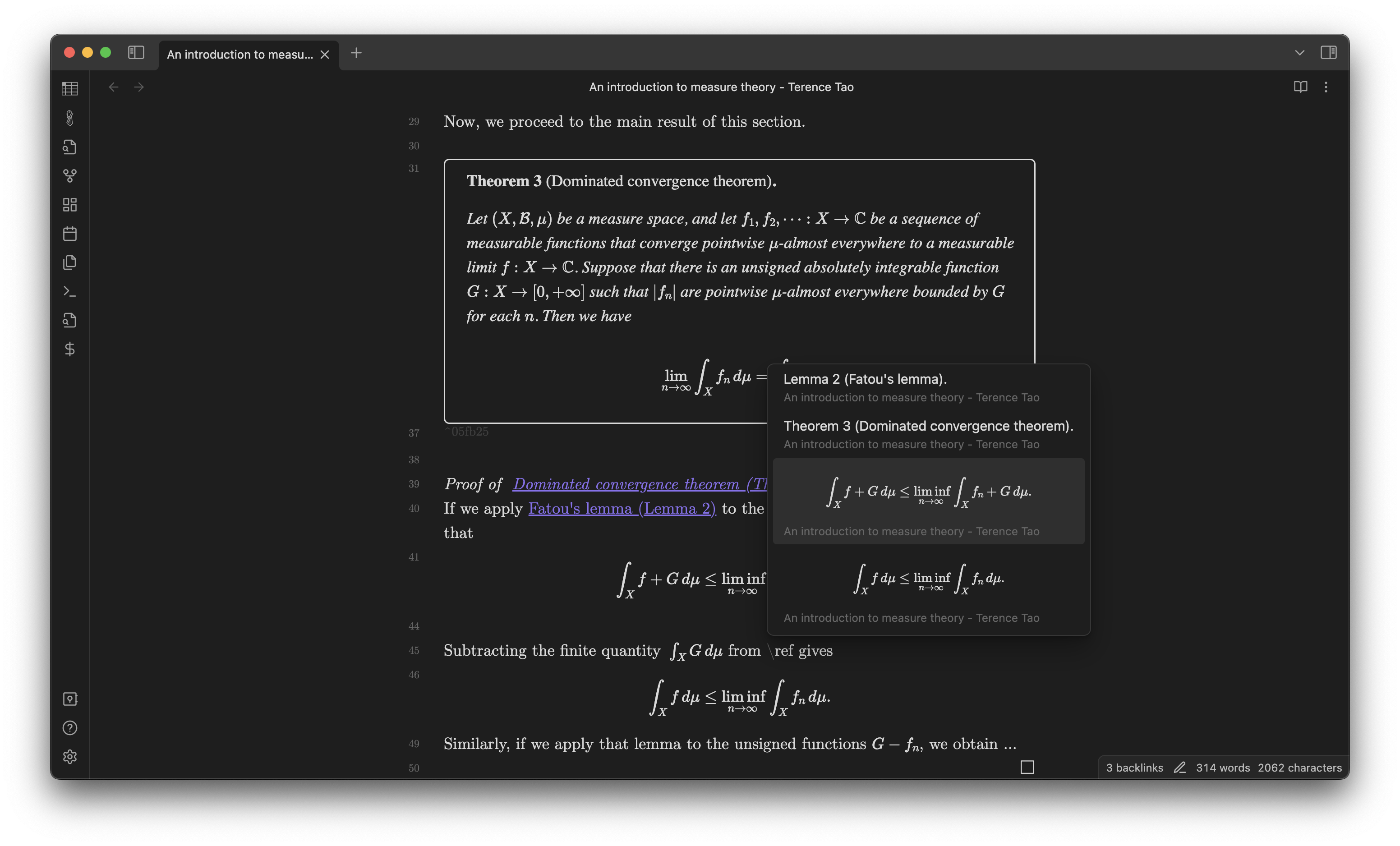
Create Bidirectional LinksThis is Obsidian's superpower. While typing a note, type two open brackets
[[. A menu will appear allowing you to link to another note in your vault. If the note doesn't exist yet, type a new name and close the brackets]]. Clicking this new link will instantly create that file. -
Explore the Graph ViewOnce you have linked a few notes together, click the Open graph view icon on the left sidebar (it looks like connected nodes). You will see a beautiful, interactive visual map of how all your ideas and notes connect to one another.
Pro Tip: Press
Ctrl + P (or Cmd + P on Mac) to open the Command Palette. This allows you to search for and execute any command or action in Obsidian without ever taking your hands off the keyboard!
Frequently Asked Questions
Yes. Obsidian is 100% free for personal and educational use. You get access to all core features, the graph view, and community plugins without paying anything. You only need to buy a commercial license if you are using it for work at a company with two or more employees.
Unlike cloud-based apps, you keep everything. Because Obsidian saves your notes as standard
.md (Markdown) files directly on your hard drive, you can open, read, and edit them with any basic text editor (like Notepad or TextEdit) forever, even if the Obsidian app ceases to exist.
There are a few ways. The easiest, most secure method is Obsidian Sync, an official paid add-on that offers end-to-end encrypted syncing across all devices. Alternatively, you can use free, DIY methods by placing your Vault folder inside a cloud drive like iCloud (best for Apple users), Google Drive, or by using tools like Syncthing.
Yes. You can export any of your Markdown notes directly to a beautifully formatted PDF. Just click the "More options" (three dots) icon in the top right corner of the note you are viewing and select Export to PDF.
Technical Specifications
- Publisher: Obsidian.md
- License: Freeware
- Operating System: Windows 7, Windows 8, Windows 10, Windows 11
- Category: Business And Productivity / Education And Science
Obsidian Screenshot