KeePassXC Professional Secure Offline Password Utility
4.49/5 (20 Reviews)
KeePassXC is a modern open source password manager that stores and manages your most sensitive information.
Security And Privacy
Encryption And Passwords
Open Source
FREE DOWNLOAD (v2.7.11)
File Size: 34.02MB | Safe & Verified
Key Features of KeePassXC Password Manager
- KeePassXC AdSysNet-Password-Manager.phtml" title="View software for password manager">Password Manager is a premier open source utility designed for high performance credential storage and advanced local data security.
- It provides users with an offline vault to manage usernames, passwords, URLs, and file attachments using industry standard AES 256 bit encryption.
- The software features a robust password generator, secure auto type functionality, and a browser integration tool to streamline digital logins across multiple platforms.
- In 2026, it remains a vital tool for privacy conscious professionals needing a safe and verified environment for managing complex security databases without cloud dependency.
- Its support for TOTP code generation and hardware key integration like YubiKey makes it the globally trusted choice for decentralized password management across all modern desktop systems.
How to Manage Your Passwords with KeePassXC
KeePassXC is an open-source, offline password manager that puts you in full control of your digital security. Follow these steps to set up your encrypted vault and simplify your logins:
-
Create a New DatabaseLaunch KeePassXC and click Create new database. Choose a name and save the .kdbx file to a secure location. Set a strong Master Password—this is the only password you will need to remember, so make it complex but memorable.
-
Add and Organize EntriesClick the Add New Entry icon (the green plus sign). Enter the Title, Username, and Password for your account. You can use the built-in Password Generator (dice icon) to create uncrackable, unique passwords for every site.
-
Enable Browser IntegrationTo log in instantly, go to Settings > Browser Integration and enable support for your browser. Install the KeePassXC-Browser extension in Chrome or Firefox to allow the software to auto-fill your credentials securely.
-
Save and BackupAlways click the Save icon after making changes. Since KeePassXC is offline, your data is only on your machine. Regularly back up your .kdbx file to an external drive or a secure cloud folder to prevent data loss.
Pro Tip: Use the "Auto-Type" feature (Ctrl+V) if you prefer not to use browser extensions. KeePassXC will automatically switch to your browser and type your username and password into the active fields!
Frequently Asked Questions
There is no "password reset" feature. Because KeePassXC is fully encrypted and offline, your data is inaccessible without the Master Password. For maximum security, we recommend writing your Master Password down and storing it in a physical safe or using a Key File as a secondary factor.
No. KeePassXC is a local-first application. Your password database is stored only on your computer (or wherever you choose to save the .kdbx file). This ensures that your private information is never vulnerable to server-side hacks or third-party breaches.
This is usually due to a setting mismatch. Ensure that "Enable Browser Integration" is checked inside the KeePassXC desktop application settings. You must also have the application open and the database unlocked for the browser extension to retrieve your passwords.
Yes. While there isn't an "official" KeePassXC mobile app, the .kdbx file format is a standard. You can use compatible open-source apps like KeePassDX (Android) or Strongbox/KeePassium (iOS) to open your database on your mobile device.
Technical Specifications
- Publisher: Keepassxc.org
- License: Open Source
- Operating System: Windows 7, Windows 8, Windows 10, Windows 11
- Category: Security And Privacy / Encryption And Passwords
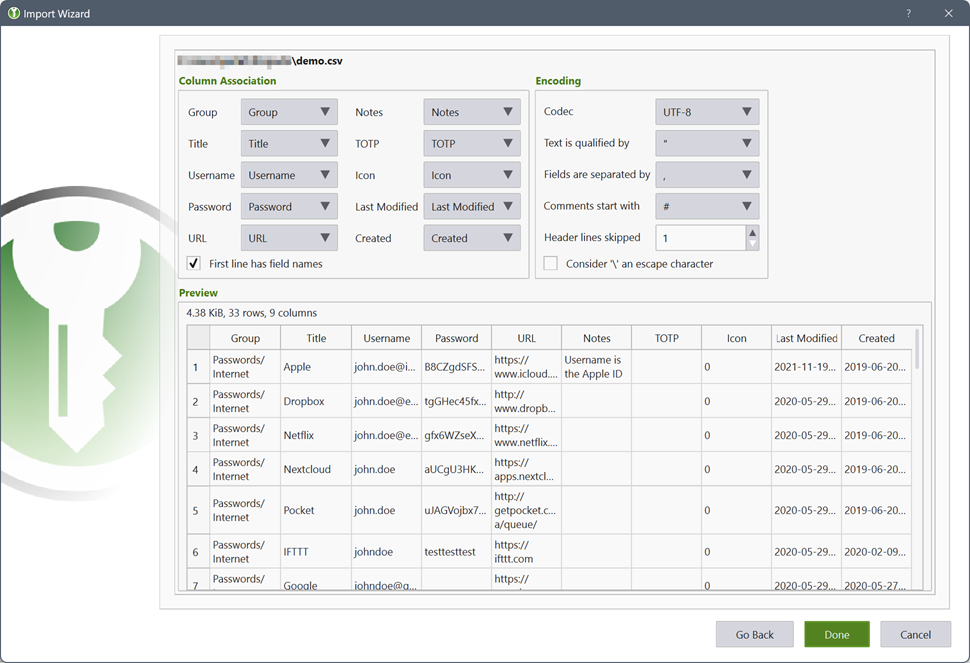
KeePassXC Password Manager Screenshot