ExcelPipe Find and Replace for Excel Add-in
4.48/5 (439 Reviews)
Batch Search and Replace multiple Excel spreadsheets.
Business And Productivity
Office Suite
Shareware
FREE DOWNLOAD (v8.0)
File Size: 11394KB | Official Download
Key Features of ExcelPipe Find and Replace for Excel
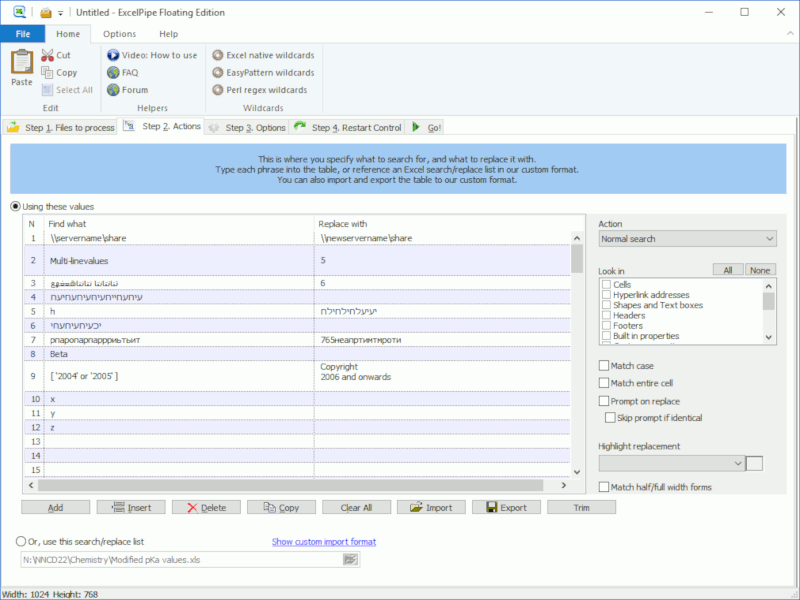
- Batch Search and Replace multiple Microsoft Excel spreadsheets.
- Change hyperlinks, UNC paths and data sources when servers get renamed; update names, addresses and phone numbers; translate spreadsheets with find/replace lists.
- Automatically handles read-only files, passwords and other protection.
- Replace hyperlinks, bookmarks, text boxes, shapes, drop down fields, document properties and more
Technical Specifications
- Publisher: Datamystic.com
- License: Shareware
- Operating System: Windows 7, Windows 8, Windows 10, Windows 11
- Category: Business And Productivity / Office Suite
ExcelPipe Find and Replace for Excel Screenshot