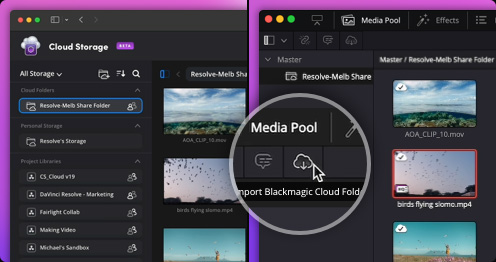
DaVinci Resolve - Reliable Video Editor Utility
4.02/5 (23 Reviews)
DaVinci Resolve is the worlds only solution that combines editing color correction visual effects and audio post production.
Multimedia And Design
Video And DVD
Freeware
FREE DOWNLOAD (v18.6)
File Size: 2100MB | Safe & Verified
Key Features of DaVinci Resolve
- DaVinci Resolve is a premier freeware utility designed for high performance video processing and advanced multimedia creation.
- It provides users with a remarkably robust environment to edit footage perform professional grade color correction and mix audio with absolute precision.
- In 2026 it remains a vital tool for filmmakers and content creators needing a safe and verified environment for industry standard post production.
How to edit and color grade videos with DaVinci Resolve
DaVinci Resolve combines editing, color correction, visual effects, and audio post-production into a single software suite. Follow these steps to start your first video project:
-
Create a New Project and Import MediaLaunch the software and double-click Untitled Project. Navigate to the Media tab at the bottom, locate your video clips on your hard drive, and drag them into the Media Pool.
-
Assemble Your EditSwitch to the Edit page (the timeline icon at the bottom). Drag your clips from the top-left Media Pool down onto the timeline. Use the Blade tool (press
B) to cut your footage and the Selection tool (pressA) to delete unwanted sections. -
Enhance with Color and AudioClick on the Color page to adjust exposure, contrast, and apply cinematic color grades using the color wheels. Next, hop over to the Fairlight page to adjust your audio levels, remove background noise, and add sound effects.
-
Render and ExportWhen your masterpiece is finished, go to the Deliver page (the rocket ship icon). Choose a preset like YouTube or H.264 Master, select where to save the file, click Add to Render Queue, and finally hit Render All.
Pro Tip: If your video playback is lagging or stuttering, your computer might be struggling with 4K files. Right-click your clips in the Media Pool and select Generate Proxy Media. This creates temporary, lightweight versions of your videos for buttery-smooth editing!
Frequently Asked Questions
It is completely free with no watermarks. You can edit, color grade, and export up to 4K resolution videos using the free version. There is a paid version called DaVinci Resolve Studio that unlocks advanced AI tools, noise reduction, and high-end cinematic effects, but the free version has more than enough power for 95% of creators.
This happens if you move, rename, or delete the original video files on your computer's hard drive after importing them into your project. To fix it, go to your Media Pool, right-click the red clips, select Relink Selected Clips, and point the software to their new folder location.
DaVinci Resolve is a professional application that relies heavily on your Graphics Card (GPU). You will want a minimum of 16GB of RAM (32GB is recommended for 4K editing) and a dedicated GPU (like an NVIDIA, AMD, or Apple Silicon chip) with at least 4GB of VRAM to prevent crashes and ensure a fluid workflow.
Yes! DaVinci Resolve fully supports vertical video editing. You can quickly change your project timeline resolution to a custom vertical format (like 1080 x 1920) in your Project Settings, and the software even includes built-in export presets designed specifically for social media platforms.
Technical Specifications
- Publisher: Blackmagicdesign.com
- License: Freeware
- Operating System: Windows 7, Windows 8, Windows 10, Windows 11
- Category: Multimedia And Design / Video And DVD
DaVinci Resolve Screenshot