Comodo Antivirus Professional Malware Protection Utility
Comodo Antivirus is a free security tool that provides reliable protection against viruses and malware.
**FREE DOWNLOAD (v12.3.4)**
File Size: 5.4MB | Safe & Verified
Security And Privacy
Anti Malware And Antivirus
Freeware
Key Features of Comodo Antivirus
- Comodo Antivirus is a premier security utility designed for high performance malware detection and proactive system defense.
- It features the proprietary Auto Sandbox Technology which isolates unknown files in a virtual environment to prevent them from damaging the operating system.
- The software utilizes a default deny architecture to ensure that only verified safe applications are allowed to execute on your PC.
- In 2026, it remains a vital tool for users needing a safe and verified environment for web browsing and file management.
- Its cloud based scanning engine provides real time updates against the latest viral strains without slowing down system performance.
- Comodo is the globally trusted choice for advanced endpoint security and comprehensive digital protection across all Windows platforms.
How to scan and secure your computer
Comodo Free Antivirus uses advanced isolation technology to keep your system safe. Follow these steps to set up your primary defenses:
-
Run a Full System ScanAfter installation, open the main dashboard. Click on the Scan button and choose Full Scan. This will check your entire hard drive and registry for existing malware, spyware, and hidden threats.
-
Enable the Auto SandboxEnsure that the Auto Sandbox Technology is turned on. This feature acts as a virtual operating panel. When you download an unknown or suspicious program, Comodo will automatically run it inside this secure virtual space so it cannot make permanent changes to your real Windows system.
-
Schedule Automatic ScansYou do not need to remember to scan manually. Go to the settings and set up personalized protection by scheduling virus scans to run at a specific time, such as late at night when you are not actively using the computer.
-
Use Game ModeIf you are playing a full screen video game, enable Game Mode. This temporarily suppresses pop up alerts, virus database updates, and scheduled scans so your gaming performance remains uninterrupted.
Pro Tip: When doing online banking or entering credit card information, launch the Secure Shopping feature. It runs your browser in an isolated environment that prevents other processes or memory scraping malware from stealing your data.
Frequently Asked Questions
Comodo Free Antivirus is fully compatible with Windows 7, Windows 8, and Windows 10.
The sandbox acts as a virtual file system and registry. When an unknown application runs inside the sandbox, it operates normally but is completely prevented from accessing or infecting your actual computer.
No. While an unknown program is sandboxed, Comodo submits it to their labs for analysis. If technicians determine it is harmless, it gets added to a global safe list and will run normally on your PC. If it is malicious, it gets deleted.
Yes. The download provides full strength real time virus detection, cloud based scanning, and sandbox isolation entirely for free. Paid upgrades are available for those who want 24/7 live support or the Comodo Virus Free guarantee.
Technical Specifications
- Publisher: Comodo.com
- License: Freeware
- Operating System: Windows 7, Windows 8, Windows 10, Windows 11
- Category: Security And Privacy / Anti Malware And Antivirus
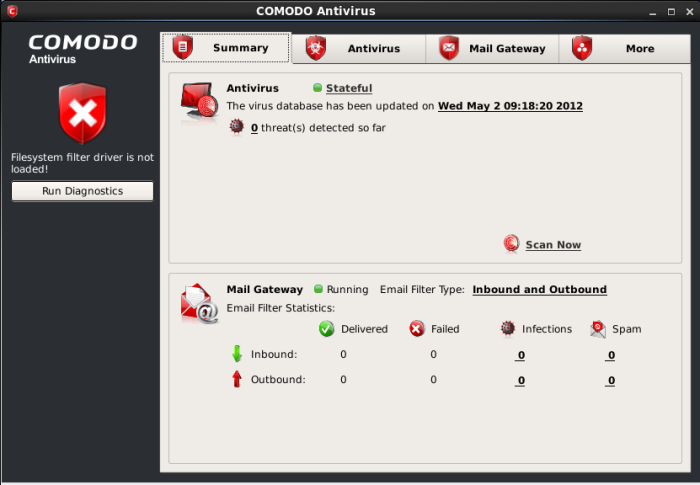
Comodo Antivirus Screenshot
User Rating
Based on 21 reviews.