Zendesk Excel Add-In: Connect Excel to Zendesk Data
4.98/5 (7 Reviews)
Devart Excel Add-in for Zendesk allows you to connect Microsoft Excel to Zendesk.
Development And IT
Languages And Scripts
Shareware
FREE DOWNLOAD (v2.10.1404)
File Size: 53.59MB | Safe & Verified
Key Features of Zendesk Excel Add-In by Devart
- Devart Excel Add-in for Zendesk allows you to connect Microsoft Excel to Zendesk, quickly and easily load data from Zendesk to Excel, instantly refresh data in an Excel workbook from Zendesk, edit these data, and save them back to Zendesk.
- It enables you to work with Zendesk tickets, users, and other objects like with usual Excel worksheets, easily perform data cleansing and de-duplication, and apply all the Excel\'s powerful data processing and analysis capabilities to these data.
- Features: *Connect to Zendesk Directly from Excel *Use Query Builder or SQL to Import Data You Need *Instantly Refresh Data Whenever You Need *Edit Zendesk Data Like Usual Excel Spreadsheets *Instant Data Validation You can always find the latest version of the product on the official Devart website.
Technical Specifications
- Publisher: Devart.com
- License: Shareware
- Operating System: Windows 7, Windows 8, Windows 10, Windows 11
- Category: Development And IT / Languages And Scripts
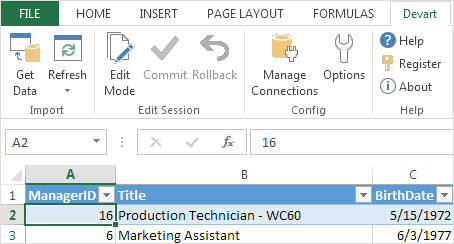
Zendesk Excel Add-In by Devart Screenshot