XFileMirror: Automate File Uploads to Multiple Hosts
4.07/5 (518 Reviews)
XFilemirror is a file mirroring solution by Sibsoft which will able you to start your own file mirroring service.
Internet And Network
Browsers And FTP
Shareware
FREE DOWNLOAD (v1.2)
File Size: 435KB | Official Download
Key Features of XFilemirror
- XFilemirror is a file mirroring solution by Sibsoft which will able you to start your own file mirroring service.
- Uploaded files will be automatically distributed to several file sharing sites.
- Upload can be performed through browser, or through direct download links (FTP is also supported).
- The script can use user`s premium account to upload (and download) files.
- That way, script can be used to transfer files from one file hosting to another.
How to start your own file mirroring service with XFileMirror
XFileMirror by Sibsoft is a script that automatically distributes your uploaded files to several file-sharing sites. Follow these 4 steps to set up and run your mirroring service:
-
Upload Your FilesYou can upload files through your web browser, via FTP, or by using direct download links. Be sure to keep your browser open during this initial upload phase.
-
Distribute in the BackgroundOnce you receive the download link, you can safely close your browser window. XFileMirror will automatically handle the distribution process to multiple file-sharing sites entirely in the background.
-
Conserve Disk SpaceThere is no need for massive server storage. The script instantly deletes the files from your local disk right after they are successfully uploaded to the file-sharing sites, which also helps you avoid DMCA complaints for copyrighted content.
-
Monetize Your TrafficEasily monetize your new service by placing ads on the pre-download and download pages directly through the admin panel. If you have basic HTML skills, you can fully customize the look and feel of the script and place ads wherever you want.
Pro Tip: You can configure the script to use a user's premium account credentials to upload and download files. This makes XFileMirror an excellent tool for seamlessly transferring files from one file hosting service directly to another!
Frequently Asked Questions
No. The script does not keep uploaded files on your disk. They are instantly deleted right after being uploaded to the file-sharing sites.
If your server's IP address is banned by any of the file-sharing sites, XFileMirror allows you to use an HTTP proxy to bypass the restriction and keep your service working smoothly.
Yes. Because the script supports using premium accounts to both upload and download files, it can be effectively used to transfer files from one file hosting service directly to another.
You will need a Linux OS running an Apache web server with the mod_rewrite module and .htaccess support. It also requires Perl (version 5.007 or higher), a MySQL database, and specific Perl modules like LWP, DBI, and DBD::mysql.
By purchasing the solution from Sibsoft, you receive professional support that includes timely fixes for upload/download plugins if they break due to changes on a file-sharing site. You can also visit the XFileMirror Support Forum to find solutions to common problems.
Technical Specifications
- Publisher: Sibsoft.net
- License: Shareware
- Operating System: Windows 7, Windows 8, Windows 10, Windows 11
- Category: Internet And Network / Browsers And FTP
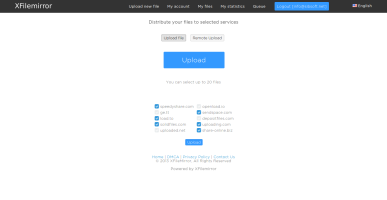
XFilemirror Screenshot