Photopus Image Utility
3.59/5 (359 Reviews)
Easy to use software for photo conversion, size adjustment, file rename, transform, touch-up, apply effects, and lots more!
Multimedia And Design
Image And Graphic Design
Freeware
FREE DOWNLOAD (v1.6)
File Size: 8078KB | Official Download
Key Features of Photopus
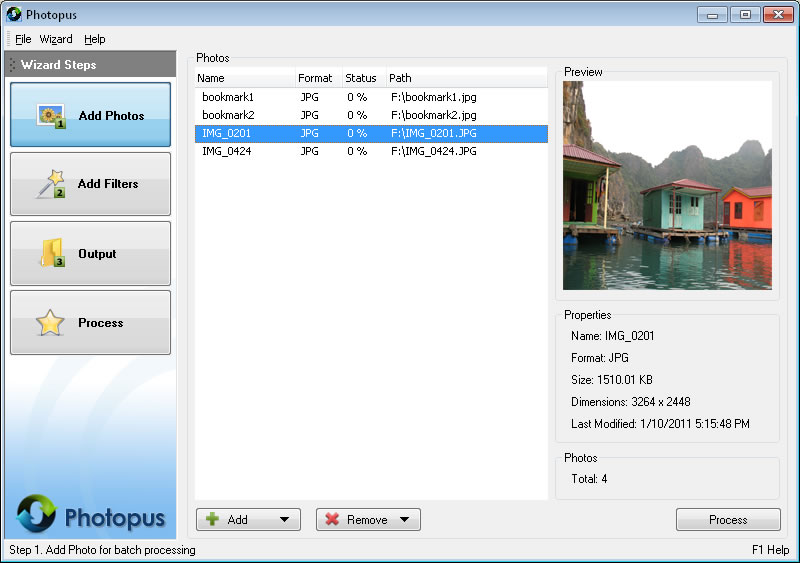
- Photopus is a user-friendly image processing">batch image processing suite designed to simplify the editing and conversion of digital photos.
- For photographers, real estate agents, and web designers, processing images one by one is not an option.
- Photopus allows users to perform common editing tasks—such as resizing, watermarking, and renaming—on thousands of images in a single operation.
- Its intuitive, step-by-step interface makes advanced batch processing accessible to users with no scripting knowledge.
- The software supports over 90 image formats, including RAW files from major camera manufacturers (Canon CR2, Nikon NEF, Sony ARW), which it can convert to universal formats like JPEG, PNG, or TIFF.
- The watermarking feature is robust, allowing users to apply text or image logos with adjustable transparency and positioning, essential for protecting copyright before uploading images to the web.
- Beyond basic conversion, Photopus includes creative filters and adjustments.
- Users can batch-adjust brightness, contrast, and color balance, or apply artistic effects like sepia, black and white, or oil painting styles.
- It also preserves EXIF data, ensuring that shooting information is carried over to the edited files.
- Whether shrinking photos for an email newsletter or prepping a product catalog, Photopus streamlines the visual workflow.
Technical Specifications
- Publisher: Photopus.net
- License: Freeware
- Operating System: Windows 7, Windows 8, Windows 10, Windows 11
- Category: Multimedia And Design / Image And Graphic Design
Photopus Screenshot